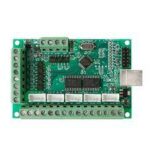
MACH3 USB interface board 5 Axis BL-UsbMach-V2.0 MACH3 CNC Board
Rated 4.50 out of 5 based on 2 customer ratings
(3 customer reviews)
₨5,200 Original price was: ₨5,200.₨4,790Current price is: ₨4,790.
Category: 3D Printer & CNC Machine
Tags: cnc board, mach 3, mach 3 usb port, MACH3, mach3 usb port
Description
Specification :
- Part Number: BL-USBMach V2.0
- No of Axis: 5 (you can connect 5 stepper motor drives or servo drives)
- Maximum step-pulse frequency: 100KHz (suitable for smooth servo or stepper motion)
- Automatic probe tool Support: Yes
- Emergency input: Yes
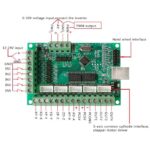
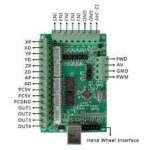
- Limit switches: Yes (5 general-purpose inputs, you can connect the limit switch, estop switch, probe switch, back to zero and other device)
- Electronic handwheel Support: Yes
- Optical Isolation between USB Side Control and External inputs: Yes
- External Voltage: 12V/24V
- Spindle Control Output: Yes (0-10V output port) with Spindle Direction (FWD) output
- Isolated Outputs: 4 general-purpose isolated relay drive output interface (can drive four relays for controlling the spindle starts, forward rotating and reverse rotating, pumps and other device)
- Power Status LED: 1 Status LED (indicate Power status of the controller board)
- Size: 9x6cm / 3.54×2.36in
- Tested with following Operating Systems:Windows XP (direct)
- Windows 7 64bit /32Bit (direct)
- Windows 10 (Indirect using Windows XP on VmWare
Packing Include :
1X MACH3 USB interface board 5 Axis BL-UsbMach-V2.0 MACH3 CNC Board
Setup Instructions:
- Step 1: Install Mach3: If you already have a Mach3 Installed, skip this step.
- Step 2: Download the USB Motion Driver BL-UsbMach-V22.dll and copy and paste the file into your Mach3 Plugins folder Example: “C:/Users/ProgramFiles/Mach3/Plugins”
- Step 3: Make sure your board is connected to the PC via USB cable. It should automatically recognize the USB device.
- Step 4: Open Mach3 and you should be prompted to select a driver. Select the “USBMach V2.0” and check “Don’t ask me again”. This will allow your board to communicate with Mach3.
- Step 5: Download the XML Mach3 Config File above by right-clicking on the link and selecting “save as”. Save the Mach3Mill.xml file in your Mach3 root folder.
Reviews (3)
3 reviews for MACH3 USB interface board 5 Axis BL-UsbMach-V2.0 MACH3 CNC Board
4.5
Based on 3 reviews
| 5 star | 66 | 66% |
| 4 star | 33 | 33% |
| 3 star | 0% | |
| 2 star | 0% | |
| 1 star | 0% |
Only logged in customers who have purchased this product may leave a review.
Shipping & Delivery
Delivery Information
At Epro, we offer a Cash on Delivery (COD) service nationwide for your convenience.
How it Works:
Place Your Order: Add items to your cart and proceed to checkout.
Select COD: Choose Cash on Delivery as your payment option.
- Receive & Pay: Get your order delivered and pay in cash upon arrival.
Delivery Timeframe:
We aim for swift delivery within the estimated timeframe.
Track Your Order:
Monitor your order's progress with our tracking system.
Related products
8mm Threaded Rod Lead Screw 500mm/50cm/300mm/30cm Price In Pakistan
Rated 5.00 out of 5
₨850 – ₨1,450Price range: ₨850 through ₨1,450
Select options
This product has multiple variants. The options may be chosen on the product page
Buy via WhatsApp
Optical Axis Samoot Rod 8mmX400mm 8mmx300mm T8 Linear Shaft Optical Axis
Rated 5.00 out of 5
₨640 – ₨820Price range: ₨640 through ₨820
Select options
This product has multiple variants. The options may be chosen on the product page
Buy via WhatsApp

Danish Iqbal (verified owner) –
Excellent product, exactly as described! (From Multan)
Zain Ul Abidin (verified owner) –
Everything is perfect. Five stars! (From Sargodha)
Saad Farooq (verified owner) –
Works perfectly. Great experience! (From Peshawar)