


Common Issues with Power Supplies Explained

Common Issues with Power Supplies Explained
Power supplies are easy to overlook until something flickers, shuts down, overheats, buzzes, or fails to turn on at all. Whether you are powering a desktop PC, a test bench, a tattoo machine, lighting equipment, or an industrial device, the right unit affects safety, performance, reliability, and long-term cost. This practical power supply guide explains common problems, what they usually mean, and how to make smarter decisions when comparing, replacing, or upgrading power supply units.
What are the most common power supply issues?
The most common power supply issues include insufficient wattage, unstable voltage, overheating, worn components, poor cable connections, electrical noise, and choosing the wrong type for the application. In many cases, the symptoms look like a problem with the device itself: random restarts, dim output, weak motor performance, charging failures, or inconsistent operation. Before replacing the connected equipment, it is worth checking whether the power source is delivering the correct voltage and current under real load.
A power supply does one main job: it converts available electrical input into the output your device needs. When that conversion is unstable, undersized, or inefficient, the entire system becomes less predictable. This is why power supplies matter far beyond the label on the case.
Common symptoms include:
- Device will not power on: The supply may be dead, disconnected, overloaded, or receiving no input power.
- Random shutdowns or resets: The load may be exceeding the unit’s capacity, especially during startup or peak demand.
- Buzzing, whining, or clicking: This can point to coil noise, failing components, overloaded circuitry, or a protection mode cycling on and off.
- Excessive heat: Poor ventilation, high load, dust buildup, or low efficiency can all raise temperatures.
- Voltage drop under load: A unit may show the right voltage with no load but sag once the device starts working.
- Flicker, hum, or signal noise: Some connected equipment is sensitive to ripple, grounding problems, or electromagnetic interference.

Power supply types shape the problems you are likely to see
Not all power supplies are built for the same job. Understanding power supply types helps narrow down the likely issue and prevents buying a replacement that looks compatible but behaves differently in practice.
Plug-in power supplies are the wall adapters used for routers, small electronics, LED strips, audio gear, and many consumer devices. Their most common problems are broken cables, loose barrel connectors, overheating, incorrect voltage ratings, and low-quality replacements that cannot supply the required current.
Bench power supplies are used for testing, electronics repair, prototyping, and lab work. Their strengths are adjustable voltage and current limiting, but problems can come from misconfigured limits, accidental shorts, poor leads, or misunderstanding constant-voltage and constant-current modes.
Linear power supplies are often valued for low noise and simple behavior. They can be useful for sensitive audio, measurement, or specialty applications, but they are usually larger, heavier, and less efficient than switching designs. Heat is a common concern, especially when dropping higher input voltage down to a much lower output.
Switching power supplies are widely used because they can be compact and efficient power supplies for many applications. They are common in computers, appliances, industrial controls, chargers, and lighting. Their typical issues include electrical noise, fan wear, capacitor aging, and instability when used with unsuitable loads.
Modular power supplies are especially common in PC building. Instead of fixed cables, the user connects only the cables needed. This improves cable management and airflow, but it also introduces a risk: cables from one model or brand should not be assumed compatible with another. A cable that fits physically may still have a different pinout.
Tattoo power supplies are designed around stable, controllable output for tattoo machines. Problems often show up as inconsistent machine speed, weak hitting, overheating, foot pedal issues, or connection problems with clip cords or RCA leads. Clean setup, correct voltage range, and dependable control response matter because the artist needs predictable performance throughout a session.
Insufficient capacity creates unstable performance
One of the most common mistakes is choosing a supply based only on the device’s average power draw. Many devices need more current at startup, during motor movement, under heavy processing loads, or when accessories turn on. If the power supply is too small, it may work briefly, then reset, shut down, or run hot.
For computers, this can happen after installing a graphics card, adding drives, or upgrading a processor. The user may assume the new component is defective when the real fix is to upgrade power supply capacity and quality. For tools, lights, motors, pumps, and heating elements, startup surge can be even more important than steady running power.
A practical checklist before choosing a replacement:
- Confirm the required output voltage. Match voltage carefully. Too high can damage equipment, while too low can cause malfunction.
- Check the required current or wattage. The supply should meet or exceed the load requirement, with reasonable headroom.
- Account for peak demand. Motors, pumps, GPUs, and some lighting systems can draw more power during startup or heavy use.
- Verify connector type and polarity. A matching plug size does not always mean a matching electrical configuration.
- Consider duty cycle. A supply used all day in a warm environment needs more margin than one used occasionally.
- Review ventilation. Even the best power supplies can fail early if trapped in heat with no airflow.
Headroom does not mean buying the largest unit available without thought. It means selecting a unit that can run comfortably within its intended operating range. A supply constantly pushed near its limit is more likely to be noisy, hot, and short-lived.
Why do power supplies overheat?
Power supplies overheat when they convert too much energy into heat, cannot move that heat away, or operate in conditions beyond what they were designed for. Overload, dust, blocked vents, aging fans, poor enclosure design, high ambient temperature, and low efficiency all contribute. Heat is not just uncomfortable; it accelerates wear and can trigger shutdowns or permanent failure.
Efficiency matters because wasted energy usually becomes heat. Efficient power supplies reduce that waste, which can help with thermal management and operating cost over time. In sealed cabinets, computer cases, workstations, or studio environments, even a modest difference in heat output can affect the comfort and reliability of nearby components.
Signs of heat stress include discoloration, brittle cables, a smell of hot plastic, fans running constantly at high speed, shutdowns after a few minutes of use, or performance that changes as the unit warms up. If a supply is too hot to touch comfortably, stop using it and investigate. Do not cover adapters with fabric, bury them behind insulation, or stack them in a tight pile where heat cannot escape.
To reduce overheating risk:
- Keep vents clear and dust-free.
- Avoid placing supplies near heaters or direct sunlight.
- Use the correct wattage rating for the load.
- Replace fans that grind, stall, or wobble.
- Leave space around enclosed units.
- Choose higher-quality units for continuous or mission-critical use.
Voltage instability and ripple can cause hard-to-diagnose faults
Some power supply problems are obvious. Others are subtle. A device may turn on, appear normal, and still behave strangely because the supplied voltage is unstable or noisy.
Ripple is a small variation in DC output that remains after conversion and filtering. Many devices tolerate some ripple, but sensitive audio, communication, test, medical, or control equipment may not. Noise can appear as hum, interference, inaccurate readings, flickering displays, or unreliable sensor behavior.Newest in the store


This is one area where linear power supplies and switching power supplies are often compared. Linear designs are generally associated with low noise, while switching designs are often selected for compact size and efficiency. That does not mean one is automatically better in every situation. The application determines what matters most.
For example, a bench setup used to test small circuits may benefit from clean output and precise current limiting. A high-power LED installation may prioritize efficiency, thermal design, and protection features. A tattoo studio may care most about smooth control response, dependable connectors, and consistent output during use.
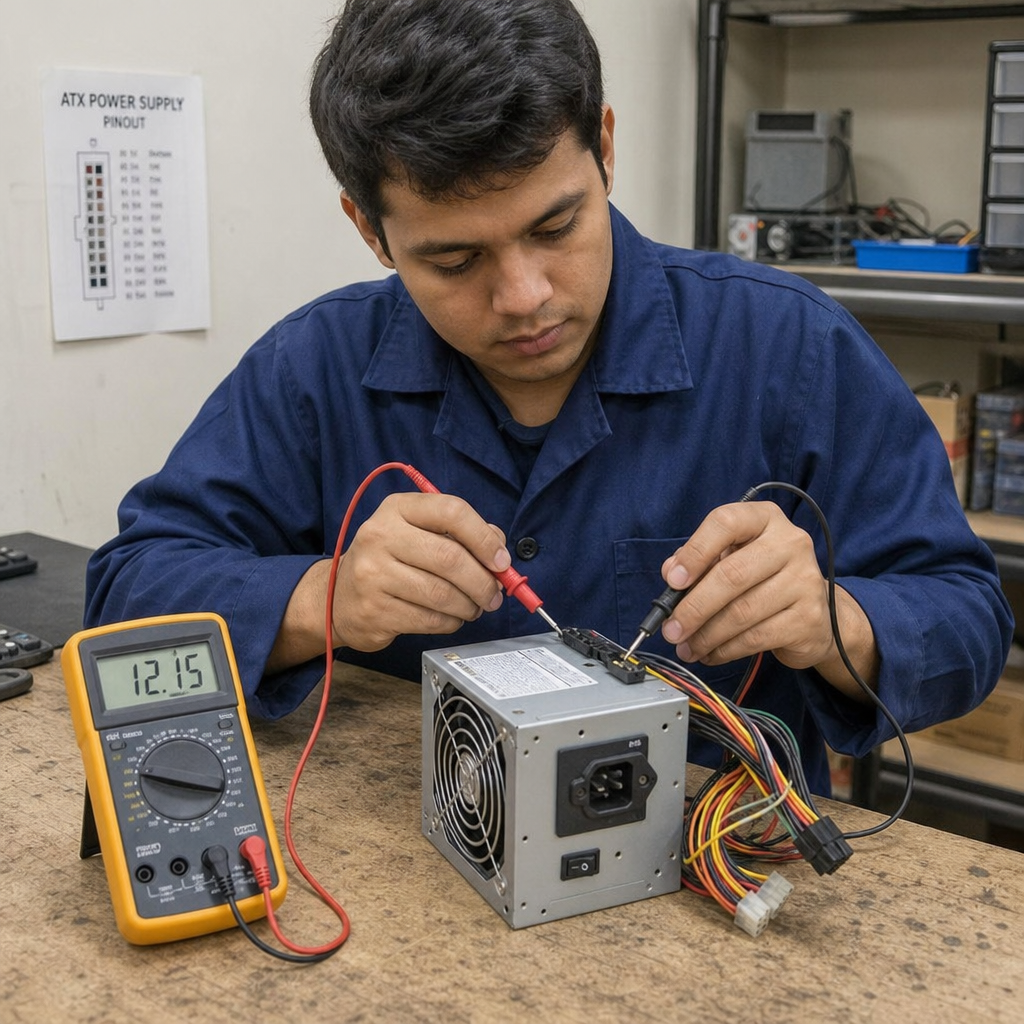
If you suspect instability, test the supply under load rather than only with nothing connected. A simple voltage reading with no load can be misleading because failing units often look acceptable until asked to deliver current.
Protection features are not optional extras
Quality power supply units often include protections that help prevent a small problem from becoming a dangerous one. These may include over-voltage protection, over-current protection, short-circuit protection, over-temperature protection, and overload shutdown. The exact feature set depends on the unit and application, so read the product information carefully rather than assuming every model includes the same safeguards.
Protection features matter in everyday scenarios. If a cable is pinched, a component fails, or a device draws too much current, a protected supply may shut down instead of continuing to feed the fault. That shutdown can be annoying in the moment, but it is often doing exactly what it was designed to do.
However, protection circuits are not a substitute for correct selection. A supply that trips repeatedly is telling you something is wrong. The load may be too high, the wiring may be faulty, or the unit may be failing. Resetting it again and again without finding the cause can increase risk.
PFC and conventional power supplies affect efficiency and input behavior
When researching pfc and conventional power supplies, you will often see discussions about how power is drawn from the AC line. PFC stands for power factor correction. In simple terms, it helps the supply draw power in a more controlled and efficient way from the input source.
PFC is commonly discussed in computer, industrial, and higher-power equipment. It can matter when multiple devices share circuits, when input efficiency is important, or when equipment must meet certain design expectations. Conventional power supplies without PFC may still work in many basic applications, but they may not manage input power as cleanly.
For a typical buyer, the practical takeaway is this: do not choose based on a single acronym alone. Look at the full specification, the load requirements, the environment, and the quality of the unit. A well-matched supply with the right protections is more valuable than a feature list you do not actually need.
A practical power supply comparison framework
A useful power supply comparison goes beyond wattage and price. The best power supplies for one job may be a poor fit for another. A quiet desktop PC, a portable electronics kit, an industrial controller, and a tattoo workstation all have different priorities.
Use this framework when reviewing options:
- Electrical match: Voltage, current, wattage, polarity, connector, and input range must fit the device.
- Load behavior: Consider startup surge, continuous use, peak demand, and whether the load is sensitive to noise.
- Efficiency and heat: Higher efficiency can reduce heat, especially in enclosed or always-on systems.
- Build and safety features: Look for suitable protections, sturdy cables, clear labeling, and appropriate certifications where required.
- Form factor: Plug-in adapters, open-frame units, enclosed units, modular power supplies, and bench models each solve different physical problems.
- Serviceability: Replaceable cables, accessible fuses, good documentation, and standard connectors can simplify maintenance.
- Brand and availability: Established options, including categories people search for such as Delta power supplies, can be easier to source and replace, but compatibility still matters.
- Reviews and documentation: Power supply reviews are most useful when they discuss real load testing, noise, thermal behavior, and long-term use rather than only packaging or first impressions.
If you come across unclear search phrases such as “power brands manufacturing supplies powerbrands us,” treat that as a prompt to verify the exact company, product line, and specifications before buying. Names can look similar, marketplaces can mix listings, and replacement power sources should never be selected by brand impression alone.
Replacement mistakes that cause repeat failures
Many repeat failures happen because the replacement solves only the visible symptom. A burned-out adapter is replaced with another undersized adapter. A noisy PC power supply is replaced without checking case airflow. A bench supply trips, so the current limit is raised instead of checking for a short.
Avoid these mistakes:
- Matching plug shape but ignoring voltage or polarity. This can damage the device quickly.
- Choosing current rating too low. The device will draw what it needs up to the supply’s ability; an undersized unit may overheat or shut down.
- Reusing unknown modular cables. Modular cables are not universally interchangeable.
- Ignoring environmental conditions. Dust, moisture, heat, vibration, and poor ventilation reduce reliability.
- Buying only on price. Reliable power sources are part of the system, not an accessory to minimize at all costs.
- Skipping diagnosis. If the load is faulty, it may destroy the replacement too.
When in doubt, compare the original label, the device manual, and the replacement specification. If the equipment is expensive, safety-critical, or professionally used, get help from a qualified technician.
Maintenance helps power supplies last longer
Power supplies are not maintenance-free in every environment. Even sealed adapters benefit from sensible placement and periodic inspection. Larger units with fans, vents, terminals, or removable cables need more attention.
A simple maintenance routine can include checking for loose connectors, cleaning dust from vents, listening for fan noise, inspecting cables for cracks, and making sure the unit is not overloaded by newly added equipment. In studios, shops, labs, and offices, labeling adapters can also prevent mix-ups between similar-looking plug-in power supplies.
For bench power supplies, store leads neatly, avoid accidental shorts, and confirm settings before connecting a circuit. For tattoo power supplies, keep connections clean, inspect cords regularly, and make sure the control setup remains stable during work. For PC power supplies, keep the case clean, maintain airflow, and plan capacity before major component upgrades.
The smartest power supply choice is the one that fits the job
Power supplies fail, but many failures are preventable with the right selection, installation, and maintenance habits. Start with the electrical requirements, then consider heat, noise, protection features, environment, and real-world load behavior. A careful comparison helps you avoid underpowered replacements, unnecessary upgrades, and frustrating repeat problems.
The key takeaway is simple: treat the power supply as a core part of the system. Whether you need compact plug-in power supplies, adjustable bench power supplies, quiet linear power supplies, modular power supplies for a PC, or specialized tattoo power supplies, the right match delivers safer, steadier, and more reliable performance.