


RFID RC522: ESP32 Wiring, Code and 7 Setup Checks

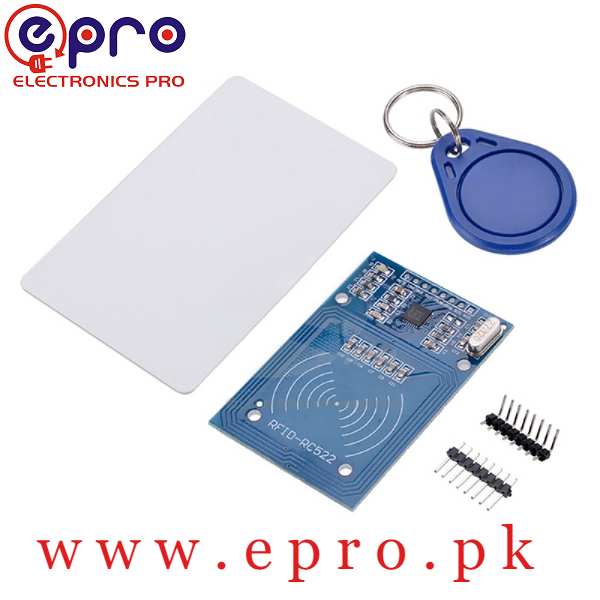
An RFID RC522 module can read a compatible tag’s identifier over SPI. A classic ESP32 development board provides native 3.3 V logic, avoiding the unsafe assumption that an RC522 breakout should accept 5 V signals. The first project should simply print information from a tag you own.
This example is for a conventional ESP32-WROOM-style development board, not every ESP32-C3 or ESP32-S3 board. Confirm your exact board’s available pins before wiring. It is a learning example, not a tested secure access-control system.

1. Check the RFID RC522 supply and package
The RC522 module listing specifies a 3.3 V supply and SPI communication. Use the actual board labels, not the order of wires in an unrelated photograph. Keep the antenna area clear and inspect header solder joints before diagnosing software.
Use a compatible blank tag supplied for experiments or another tag you are authorized to read. Do not use this sketch as a reason to probe protected building, transport or payment cards. Reading a visible identifier is not permission to alter a card or integrate it into an existing system.
2. Wire the module with all power removed
| RC522 label | Classic ESP32 connection | Role |
|---|---|---|
| 3.3V | 3V3 | Rated supply |
| GND | GND | Common reference |
| SCK | GPIO18 | SPI clock |
| MISO | GPIO19 | Reader to controller |
| MOSI | GPIO23 | Controller to reader |
| SDA / SS | GPIO21 | SPI chip select in this example |
| RST | GPIO22 | Reset |
| IRQ | Not connected | Unused here |
On this common SPI breakout, the label SDA denotes chip select, not an invitation to connect it as an I2C display. GPIO21 and GPIO22 are deliberately used for this project and cannot simultaneously serve an unrelated I2C circuit without redesigning the pin assignment.
3. Install the appropriate library
Install the MFRC522 library through the Arduino Library Manager and select the correct ESP32 board package and board model. The library repository documents its interface and limitations. An unrelated RFID library with a similar name may not expose the same API.
Newest in the store


4. Upload a UID-only demonstration
#include <SPI.h>
#include <MFRC522.h>
MFRC522 reader(21, 22);
void setup() {
  Serial.begin(115200);
  SPI.begin(18, 19, 23, 21);
  reader.PCD_Init();
  Serial.println("Present your compatible test tag");
}
void loop() {
  if (!reader.PICC_IsNewCardPresent()) return;
  if (!reader.PICC_ReadCardSerial()) return;
  Serial.print("UID: ");
  for (byte i = 0; i < reader.uid.size; ++i) {
    if (reader.uid.uidByte[i] < 0x10) Serial.print('0');
    Serial.print(reader.uid.uidByte[i], HEX);
    Serial.print(' ');
  }
  Serial.println();
  reader.PICC_HaltA();
  reader.PCD_StopCrypto1();
  delay(300);
}
Open Serial Monitor at 115200 baud and present a compatible tag near the antenna. Remove and present the tag again between attempts. The loop prints the actual UID length reported by the library rather than assuming every tag has the same number of bytes.
5. Troubleshoot wiring before changing libraries
If there is no response, verify 3.3 V power, a shared ground, chip-select and reset assignments and the SPI wire labels. Use short connections and inspect cold solder joints. A code upload succeeding only proves the controller accepted the program; it does not verify the reader wiring.
A reader that detects one supplied tag but not another card may be working correctly while the second card uses an unsupported frequency or protocol. Compare requirements in the RFID card reader buying guide before replacing hardware.
6. Keep UID data in context
Do not publish identifiers from other people’s cards or treat them as secret passwords. The library documentation warns that UID-only security and Crypto1 are unsuitable for security-sensitive authentication. This sketch deliberately contains no lock driver, authorization database or card-writing operation.
7. Add features only after the basic test works
Record repeatable read behaviour, then add a display or user interface one subsystem at a time. If adding an I2C OLED display, choose a non-conflicting pin map first. Any real access-control product needs a separate security design, appropriate credentials and system-level validation.