


MAX7219 Display: 7 Checks Before Buying

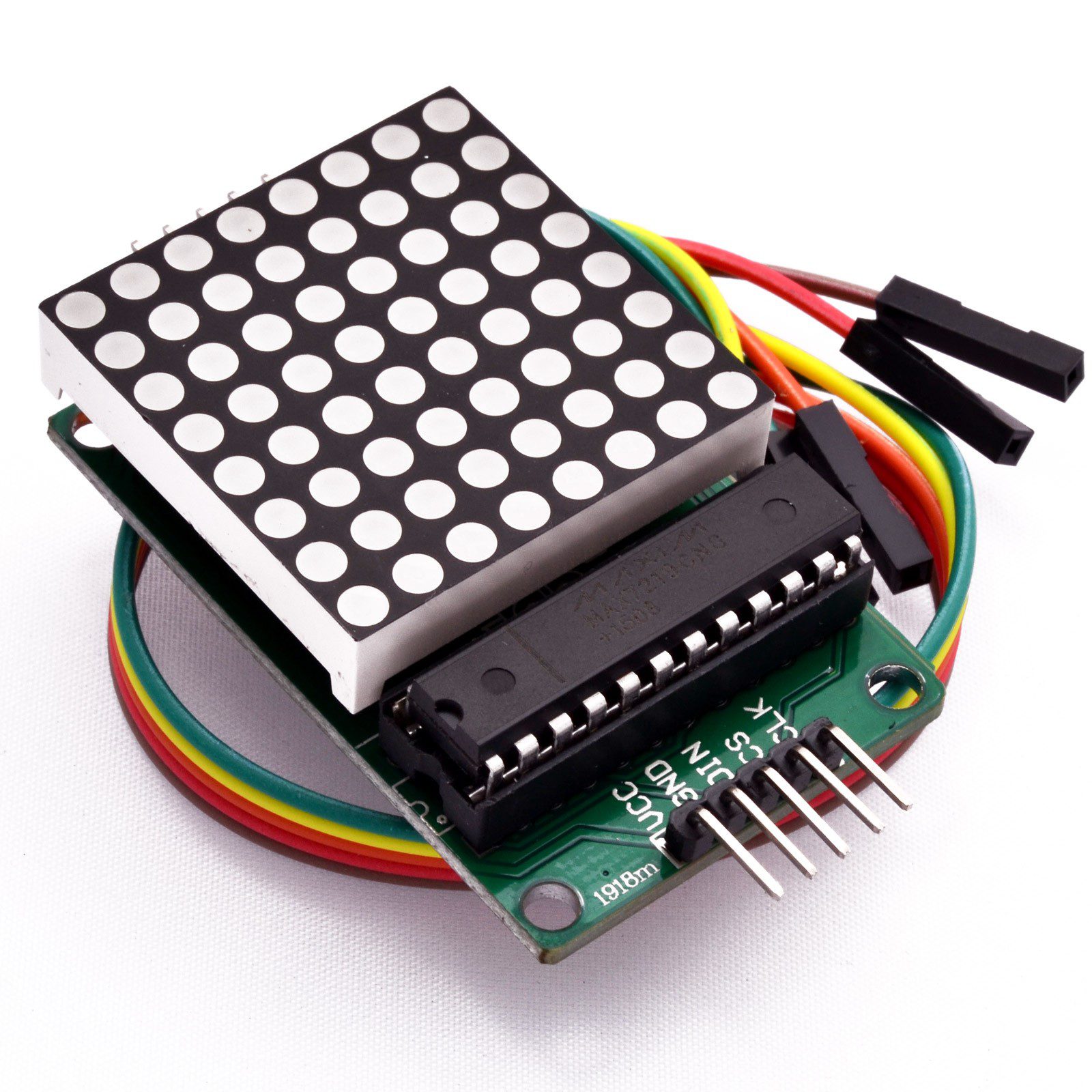
A MAX7219 display can show simple icons, patterns or scrolling information while using only a few controller signals. The chip handles LED scanning, but the finished module still needs an appropriate power supply and software that matches its physical arrangement.
Before buying, distinguish a single 8×8 matrix from a four-module chain and from a seven-segment numeric board. Sharing the same driver family does not make their layouts or code examples interchangeable.

MAX7219 display prices and module sizes
| Listed item | Price (PKR) | Project role |
|---|---|---|
| 8×8 Dot Matrix LED Display Module MAX7219 | 450 | Single 8×8 red LED matrix module |
| MAX7219 Dot Matrix Module Microcontroller 4 in 1 Display in Pakistan | 1,180 | Four-in-one dot-matrix module listing |
Price snapshot: Epro listings checked on 18 October 2026. Confirm the current price, availability, delivery charges and package quantity on the linked page before ordering. These are dated listing prices, not a quotation or an independent performance test.
The single matrix listing specifies a 4.7–5.3 V operating range. The four-in-one board places more display hardware in one assembly. Compare the complete package, connector direction and dimensions, rather than treating the two prices as the cost of identical displays.
1. Choose pixels or numeric segments
An 8×8 matrix has sixty-four light positions for small patterns. A seven-segment module instead arranges LEDs into digit shapes. The MAX7219 driver can support either arrangement, but the module wiring and the intended library operations differ.
For a small symbol, a matrix is convenient. For a readable four-digit number, a dedicated numeric module may use the available area better. Plan the actual screen content first; a tiny matrix does not provide the same readability as a larger text display.
2. Check the power budget, not just the signal count
Three controller signals do not mean the display consumes the power of three GPIO pins. LED current comes from the module supply, and demand changes with the number of illuminated LEDs, configured brightness and the onboard current-setting resistor.
The single-module listing quotes a 320 mA operating-current figure. Treat that as a reason to budget carefully, not a measurement guaranteed for every image or brightness level. A chain requires a supply and wiring suitable for the combined load; never power the display through a signal pin.
3. Match logic levels as well as supply voltage
The MAX7219 datasheet specifies a 3.5 V minimum logic-high input under its stated 5 V test conditions. Therefore a 3.3 V controller’s output is not automatically a guaranteed high for a 5 V-powered driver.
Newest in the store


A conventional 5 V Uno is a simpler first test platform. With an ESP32 or another 3.3 V controller, use an appropriately chosen level-shifting arrangement and verify timing. Reports that one unshifted module happened to work do not establish electrical compatibility for every board.
4. Identify input and output connectors
Serial data enters at DIN and can leave through DOUT for the next driver. Clock and load signals must also be connected correctly. Plugging the controller into a chain’s output end will not become correct by changing a text string in software.
Inspect the labels on the actual PCB because the matrix may be mounted in a different orientation. Keep the first wiring short and test one driver before extending the chain. Record the connector viewpoint so the final enclosure does not reverse it accidentally.
5. Choose a library for the intended job
The LedControl library supports MAX7219 matrix and numeric displays. It can be a straightforward starting point for individual LEDs. More elaborate scrolling text needs appropriate font, orientation and chain-layout handling.
A library’s device count must match the connected drivers. An example for one matrix is not a complete four-board setup simply because the data connector fits. Establish the hardware arrangement before adding animations or another display library.
6. Separate brightness from electrical current setting
The driver supports a software intensity setting, while an external resistor establishes peak segment current. Reducing the software setting is useful for an initial test, but it does not validate an incorrectly chosen resistor or inadequate wiring.
Do not modify the onboard resistor merely to pursue maximum brightness. Check the driver, LED and board limits first. Avoid assuming that a power supply with a larger current rating forces that entire current through the LEDs; the load and driver configuration determine demand.
7. Prove a small pattern before scrolling text
Follow the MAX7219 Arduino matrix wiring and code guide for a single-module test at low intensity. Confirm direction, orientation and stable power first. Then expand the display with a deliberately sized supply and library configuration rather than diagnosing a whole chain at once.