


CP2102 Driver: 7 Safe Windows Installation Checks

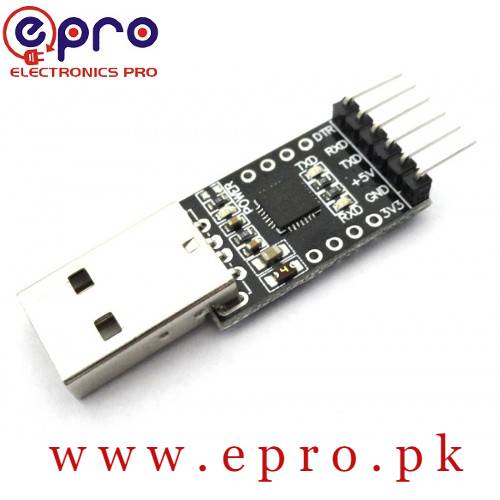
A CP2102 driver provides the virtual serial connection used by many development boards and USB-to-UART adapters. The correct package comes from Silicon Labs, not from a generic driver-download site. Follow these checks to identify the bridge, install the supported VCP driver and diagnose a missing COM port without confusing it with a firmware problem.
1. Identify CP2102 or the actual CP210x variant

Check the board’s USB bridge marking or documented hardware identity. CP2102, CP2102N and other CP210x devices belong to a related family, but package support and board features should be checked against Silicon Labs documentation. An ESP8266 or ESP32 board name does not by itself identify its USB bridge: another revision may use CH340 or native USB instead.
2. Observe the computer’s USB response
Disconnect external modules from the development board and use a known data-capable USB cable. Observe Device Manager while connecting and removing the device. If no USB device appears, test a different cable and a direct port. If an unknown device appears, record its identity and error before installing anything. This distinction prevents time being wasted on driver settings when the cable has no data connection.
3. Use the Silicon Labs VCP driver page
Silicon Labs publishes CP210x USB-to-UART Bridge Virtual COM Port drivers for supported systems. Choose the package for the actual operating system and architecture and read its current release information. A VCP driver is the normal choice when an IDE or terminal needs a COM port. USBXpress direct-access software is a different interface model, not an additional package that every beginner should install.
4. Follow the supported Windows installation path
Use the vendor’s instructions for the selected package. Some packages are installed through driver information files rather than a large setup application, so follow their included instructions instead of downloading a separate installer from elsewhere. On a managed computer, have the administrator approve the installation. Do not disable Windows security protections as a routine troubleshooting step.
5. Verify the COM port and select it in the IDE
Reconnect the board, locate its serial-port entry and choose that port in your IDE. Then select the correct target board and processor settings separately. The CP2102 driver does not install an ESP8266 board package, an ESP32 core or an Arduino library. Close other terminals before uploading because a second application can hold the same serial port open.
6. Separate a working driver from a failing upload
| Symptom | Likely next area to investigate |
|---|---|
| No USB enumeration | Cable, connector, port or board power |
| Unknown bridge device | Hardware identity and correct supported driver |
| COM port visible but access denied | Port already open or OS permission |
| COM port opens but upload times out | Target reset, boot mode, board selection or wiring |
| Upload succeeds but terminal text is unreadable | Application baud rate and terminal settings |
A working port is useful evidence that the bridge driver is functioning, even if the target firmware does not start. Save the exact upload error and troubleshoot that layer. Reinstalling a working driver repeatedly can obscure the original fault without changing the target’s boot configuration.Newest in the store


7. Treat wiring voltage as a separate verification
The presence of 5 V and 3.3 V labels on an adapter does not prove the voltage of all UART signals. Check the exact module documentation before connecting a target. Keep the target disconnected during initial USB-driver testing. If you later connect UART signals, cross TX to RX, provide a common ground and follow a single verified power plan rather than joining supply outputs together.
Epro parts and availability
These are relevant Epro listings, not independent authenticity or performance certifications. Prices below were checked on 19 October 2026; they are a dated snapshot rather than a historical price implied by this article’s publication date. Confirm the exact variant, included accessories, stock and current checkout price before ordering.
| Listing | Checked price | Stock at check |
|---|---|---|
| CP2102 USB 2.0 to TTL Module in Pakistan | PKR 510 | In stock |
| ESP8266 NodeMCU CP2102 Board in Pakistan | PKR 840 | In stock |
Frequently asked questions
Does every ESP32 need a CP2102 driver?
No. Different boards use different USB interfaces. Match the driver to the bridge hardware on your board.
Is a driver enough to program a board?
No. You also need the correct IDE board support, upload settings and any required target boot/reset procedure.
Related Epro guides
Technical references and verification
The guidance above is based on the manufacturer documentation linked here and the listed product information. Example procedures and sketches are provided for a controlled low-voltage bench setup; no independent hands-on test of your particular board or adapter is claimed. Check the markings and documentation for your actual revision.