


Best Soldering Iron for Mobile Repair: 8 Checks

Last checked: 18 October 2026. Product prices and availability, where shown, are a snapshot of Epro listings checked on this date. Confirm the live listing before ordering.
The best soldering iron for mobile repair is the one that delivers controlled heat to the joint you are repairing without adding unnecessary risk to the board. There is no honest universal winner based only on advertised wattage, a brand name or the number of accessories in a box.

This is a buying and bench-planning guide, not a claim that the listed tools have been independently tested. Modern phone repairs can damage batteries, data and expensive multilayer boards; practice on scrap, unpowered boards before attempting a customer’s device.
Best soldering iron for mobile repair: selection checklist
- Reliable temperature control and recovery.
- Appropriate, replaceable tip shapes.
- Documented grounding and ESD provisions.
- A comfortable handle and flexible lead.
- Locally available consumables and spare parts.
- Suitable magnification and fume extraction.
- Separate hot-air capability when the repair requires it.
- A realistic total budget, including training and practice.
1. Look for temperature recovery, not just a display
A controller should respond when the joint draws heat from the tip. A digital number on the front does not prove accurate tip temperature under load. Where possible, look for manufacturer specifications and service support, and verify performance with suitable temperature-measurement equipment rather than trusting the display alone.
2. Choose tips for contact area and access
An extremely sharp tip is not automatically the safest choice. Poor thermal contact can tempt you to increase temperature or hold the iron on a pad too long. A suitable small chisel or bevel can transfer heat efficiently when the geometry allows. Choose compatible tip dimensions and use the tool maker’s recommended range.
3. Verify ESD and grounding claims
Phone electronics can be sensitive to electrostatic discharge. Ask for documentation of the station’s ESD provisions and follow a properly designed bench-grounding procedure. Do not improvise connections to building wiring or assume that a product name containing “ESD safe” verifies the whole workbench.
4. Assess handle comfort and control
A heavy cable can pull against delicate movements. Check grip temperature, balance, tip-to-grip distance and stand stability. These practical details matter during repeated work under magnification. An iron that is comfortable for thick wires may be awkward for a small connector footprint.
5. Check the supply of genuine compatible parts
Before buying, confirm which tips, heaters or cartridges fit and whether replacements are currently available. Similar model names can use different parts. A low initial price can become expensive if the correct replacement is unavailable after the first worn tip or failed heater.
Newest in the store


6. Build the supporting bench
Budget for magnification, appropriate flux, solder, cleaning materials, a stable holder and fume extraction. Rosin-based flux fumes can cause occupational asthma; use the precautions described in HSE’s soldering fume guidance. Do not work over a connected or swollen lithium battery, and follow the device manufacturer’s service procedure.
7. Separate iron work from hot-air rework
A soldering iron is useful for many accessible joints and pad-cleaning tasks, but it is not a complete solution for every surface-mount component. Some repairs need controlled hot air, preheating, shielding and additional training. A combined station offers two tools, not automatic protection against lifting pads or overheating nearby components.
8. Compare actual listings without inventing a ranking
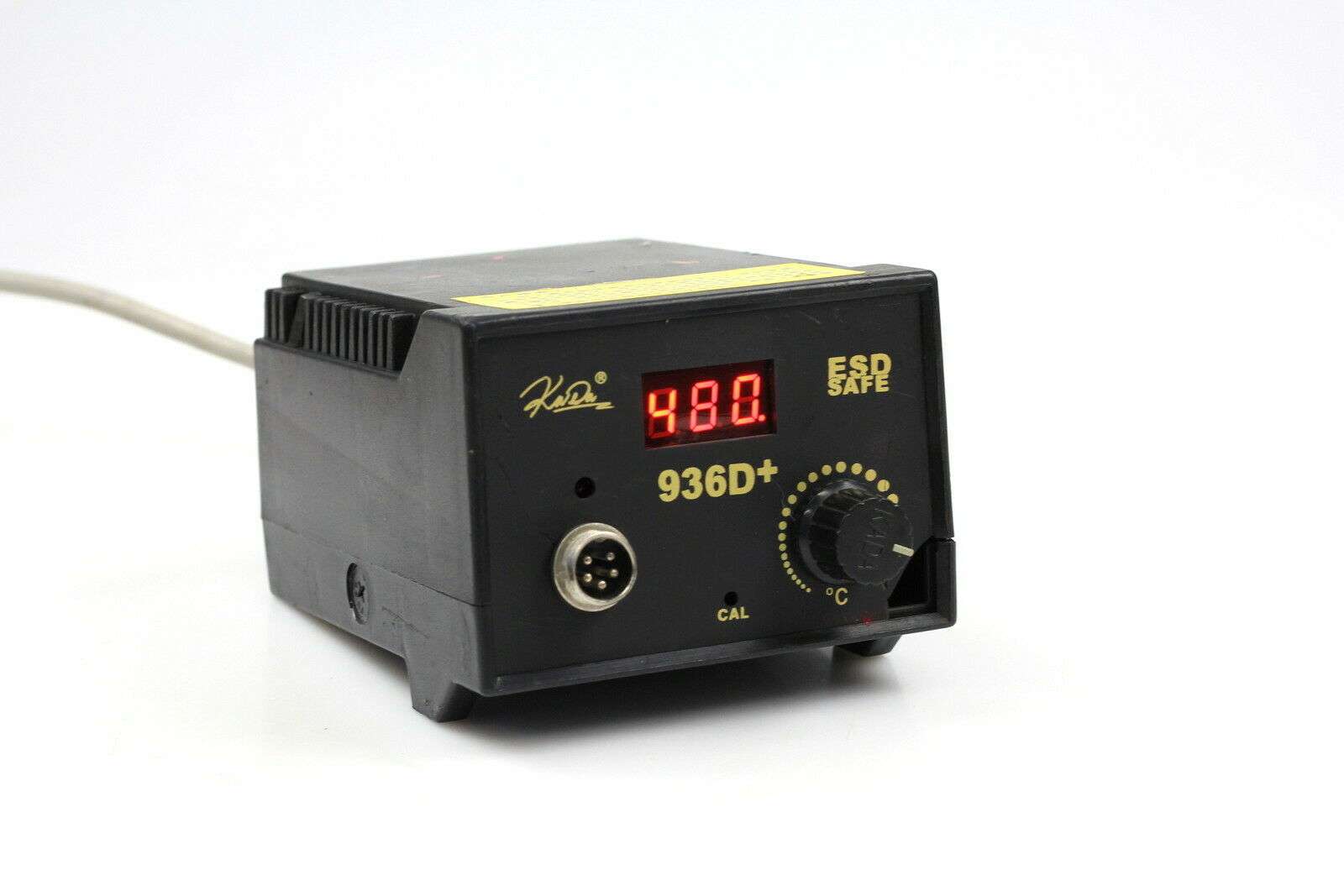
As checked examples, Epro lists a KADA 936D+ digital station — PKR 4,400, a KADA combined hot-air and iron station — PKR 11,500 and a YIHUA 899D combined rework station — PKR 17,200. Confirm each live listing’s model, package, electrical requirements and support. These prices do not establish that a more expensive station is better for your particular job.
For a broader comparison of basic irons and stations, read soldering iron buying guide. Avoid buying a replacement tip or heater by mistake when comparing search results for a complete station.
Frequently asked questions
What temperature should I use?
There is no single correct setting for every solder alloy, tip, pad and board. Follow the solder and tool guidance, use appropriate contact area and minimize unnecessary dwell time. Raising temperature is not a substitute for good technique.
Can beginners repair charging ports immediately?
It is safer to learn on scrap boards first. Port repairs can involve large ground planes, small pads and battery risks; the correct process depends on the device.
Does the best soldering iron for mobile repair need hot air built in?
No. A separate quality iron and suitable rework equipment can be practical. Choose the combination around the repairs you can competently perform.