


MAX6675 Thermocouple: 7 Checks Before Buying

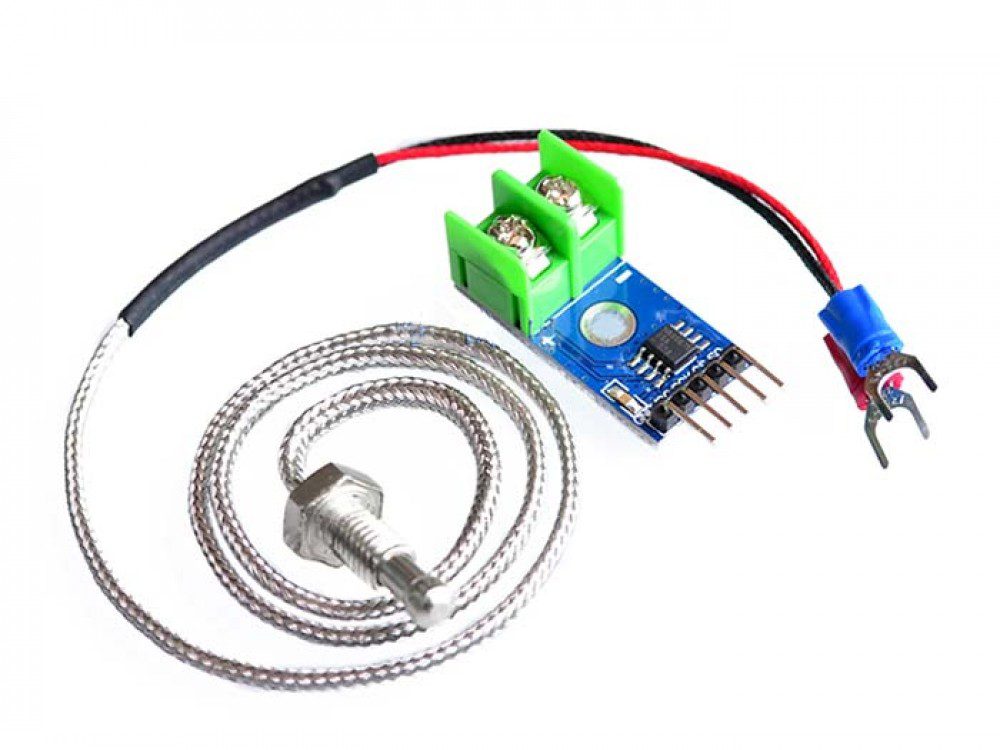
A MAX6675 module converts the small signal from a K-type thermocouple into a digital temperature reading. It can be useful for learning temperature measurement, but the converter’s headline range is not automatically the safe range of the probe, cable or complete installation.
Start by separating the converter board from the sensing probe. They perform different jobs and have different environmental limits. This guide uses documented specifications and current Epro listings, not independent calibration or a claimed hardware test.

MAX6675 prices and the parts in the package
| Listed item | Price (PKR) | Project role |
|---|---|---|
| DC 5V MAX6675 Module + K Type Thermocouple Temperature Sensor | 750 | Converter module with K-type probe in the listing |
| K-Type Thermocouple Temperature Probe 800°C | 450 | Separate K-type probe; not a digital converter board |
Price snapshot: Epro listings checked on 18 October 2026. Confirm the current price, availability, delivery charges and package quantity on the linked page before ordering. These are dated listing prices, not a quotation or an independent performance test.
The module-and-probe package is different from the separate 800°C-rated probe. Check the supplied connector, probe dimensions, mounting arrangement and package contents rather than assuming every thermocouple listing includes a controller interface.
1. Match the thermocouple type
The Analog Devices MAX6675 datasheet specifies K-type thermocouple conversion. A thermistor, a resistance temperature detector or another thermocouple type is not a drop-in replacement even when it has two wires.
Confirm the probe markings and actual terminal polarity. Cable colours can differ between standards, so colour alone is not a reliable universal instruction. A temperature that moves in the wrong direction when the sensing junction warms can indicate reversed polarity.
2. Separate measuring range from assembly limits
The converter reports temperatures from 0°C to 1023.75°C. That does not mean its PCB belongs inside a hot chamber or that every included probe can safely reach the top of that range.
The separately listed probe has an advertised 0–800°C range. Its mounting, insulation and cable routing still need checking. Treat the lowest applicable component or installation limit as the constraint; never extend a probe’s rating because the digital converter can represent a larger number.
3. Do not confuse resolution with accuracy
The output increments are 0.25°C. Resolution describes the size of the reported steps, not a guarantee that a complete measurement is within a quarter of a degree of the true temperature.
Thermocouple tolerance, cold-junction compensation, connector materials, thermal gradients and installation all affect the result. A catalog accuracy statement is not a calibration certificate for the particular assembly. Compare against an appropriate reference before relying on an application-specific tolerance.Newest in the store


4. Keep the board at a suitable ambient temperature
The chip’s specified ambient operating range is separate from the temperature measured at the remote junction. The datasheet gives an ambient range of -20°C to +85°C for the device. Nearby heaters and warm airflow can also create unwanted gradients around its cold junction.
Put the converter in a suitable cooler location with a stable thermal environment. Do not mount it against a hot metal surface merely because the probe tip is heat resistant. The terminal area is part of the measurement arrangement, not just a convenient cable joint.
5. Check supply and controller logic
The chip operates from 3.0–5.5 V. A conventional 5 V Uno and a 3.3 V controller are different electrical environments. Identify the actual module circuitry and the output level before connecting its data output to a lower-voltage GPIO.
The interface is a read-only, SPI-compatible connection using clock, chip select and serial data output. There is no need to invent an I²C address or attach a controller MOSI wire to a nonexistent module input.
6. Allow conversion time and handle faults
The datasheet specifies up to approximately 0.22 seconds for conversion. Reading extremely quickly does not produce a fresh independent temperature each time. A one-second interval is a clear starting point for an educational display.
An open thermocouple is a fault, not a valid zero-degree measurement. Software should report it clearly. Probe contact with electrically live equipment also needs an appropriate engineered measurement arrangement; a hobby board is not proof of safe isolation.
7. Begin with an ambient bench reading
Use the MAX6675 Arduino wiring and temperature code guide for a room-temperature demonstration before attempting a demanding installation. Check polarity, supply, plausible readings and disconnected-probe behaviour first.
A monitoring sketch is not an independent over-temperature cutout. Heating equipment requires suitable control design and separate protection matched to the hazards involved, rather than reliance on a single hobby sensor and an untested program.