


STM32 ST Link Driver: 7 Safe Setup Checks

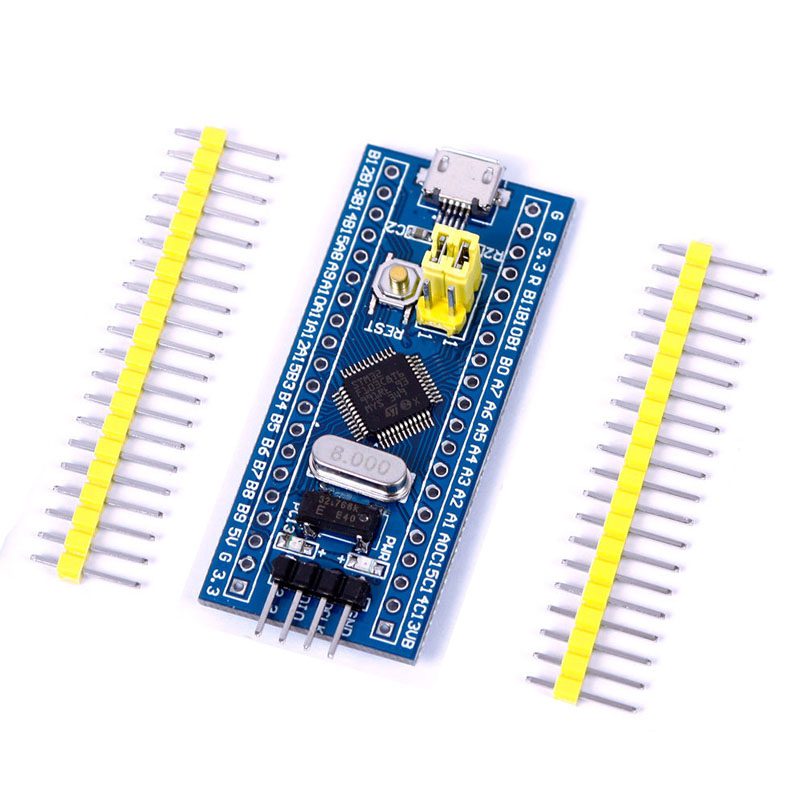
An STM32 ST Link driver problem should be separated from a target-wiring problem. The computer first needs to recognize the ST-LINK probe; the probe then needs a supported connection to the STM32 target. These seven checks explain the official Windows driver package and a cautious diagnostic order without assuming every inexpensive probe has the same header layout.
1. Identify the ST-LINK model and host system

Check whether you have ST-LINK/V2, an on-board ST-LINK/V2-1 or an STLINK-V3 device, and record the operating system. ST’s STSW-LINK009 package documents supported Windows interfaces for these families. Other operating systems have their own software and permission requirements. Do not choose a USB-to-UART driver such as CH340 or CP210x simply because the target board contains an STM32.
2. Use the official STSW-LINK009 source
Download the package and read the current instructions from STMicroelectronics. ST states that the driver should be installed before connecting ST-LINK/V2 or ST-LINK/V2-1 for successful enumeration; STLINK-V3 has different default-enumeration behavior. Follow the instructions for the actual probe rather than a generic “all STM32 drivers” archive. Do not disable signature enforcement as a normal setup step.
3. Verify the probe with the target disconnected
Install the supported driver under your computer’s normal administrator policy, then connect the probe through a known data-capable cable. Check how the host identifies it. A normal probe can be detected without a target attached. If the host sees nothing, investigate the cable, USB port, installation and probe hardware before rewiring a microcontroller board.
4. Install the intended programming tool separately
The USB driver makes the probe’s interface available to the host. It does not replace STM32CubeProgrammer, STM32CubeIDE or another supported development environment. Use a tool version compatible with the probe and target. Consult ST’s documented firmware-update path if the tool requests a probe update, and avoid interrupting an update once it has begun. Third-party clones may not support all official-probe features.
5. Verify SWD wiring and target power without guessing
| Signal or condition | What to verify |
|---|---|
| SWDIO | Goes to the target’s documented SWD data connection |
| SWCLK | Goes to the target’s documented SWD clock connection |
| GND | Provides the common signal reference |
| Target reference voltage | Follows the probe’s documented VTref arrangement |
| NRST, when required | Matches the target reset connection |
| Power | A single verified supply plan, not two uncontrolled outputs |
Probe connector order is not universal, especially on compact third-party devices. A pin labeled 3V3 can have a different role from a reference-voltage input on another probe. Read both schematics or manuals before connecting it. Disconnect power while changing wires and keep the setup limited to low-voltage target electronics.
6. Connect without immediately erasing or flashing
Start with a non-destructive connection and device-identification check. If the probe is visible but the target is not, examine target voltage, ground, SWD mapping, reset state and tool interface selection. Try a documented lower SWD clock when appropriate. Do not use mass erase as the first diagnostic action: it can destroy an existing program and may not fix a wiring fault.Newest in the store


7. Record the working setup before programming
Save the probe model, driver/tool version, target device, supply method and wiring. Keep a backup of any firmware or configuration you are authorized and able to read before overwriting it. Program only the image built for the exact target. A successful probe connection is not a complete hardware validation, but it provides a useful baseline before adding application circuitry.
Epro parts and availability
These are relevant Epro listings, not independent authenticity or performance certifications. Prices below were checked on 19 October 2026; they are a dated snapshot rather than a historical price implied by this article’s publication date. Confirm the exact variant, included accessories, stock and current checkout price before ordering.
| Listing | Checked price | Stock at check |
|---|---|---|
| STM32F103C8T6 ARM Development Board in Pakistan | PKR 1,050 | In stock |
Frequently asked questions
Is ST-LINK the same as a serial adapter?
No. ST-LINK provides supported debugging/programming interfaces. A CP2102 or CH340 adapter is a USB-to-UART bridge and is not a drop-in SWD probe.
Should I erase the chip if a target is not detected?
Not as a first step. Verify power, wiring and interface configuration; an erase is destructive and requires a clear reason and authorization.
Related Epro guides
Technical references and verification
The guidance above is based on the manufacturer documentation linked here and the listed product information. Example procedures and sketches are provided for a controlled low-voltage bench setup; no independent hands-on test of your particular board or adapter is claimed. Check the markings and documentation for your actual revision.