


W5500 Ethernet Module: 7 Checks Before Buying

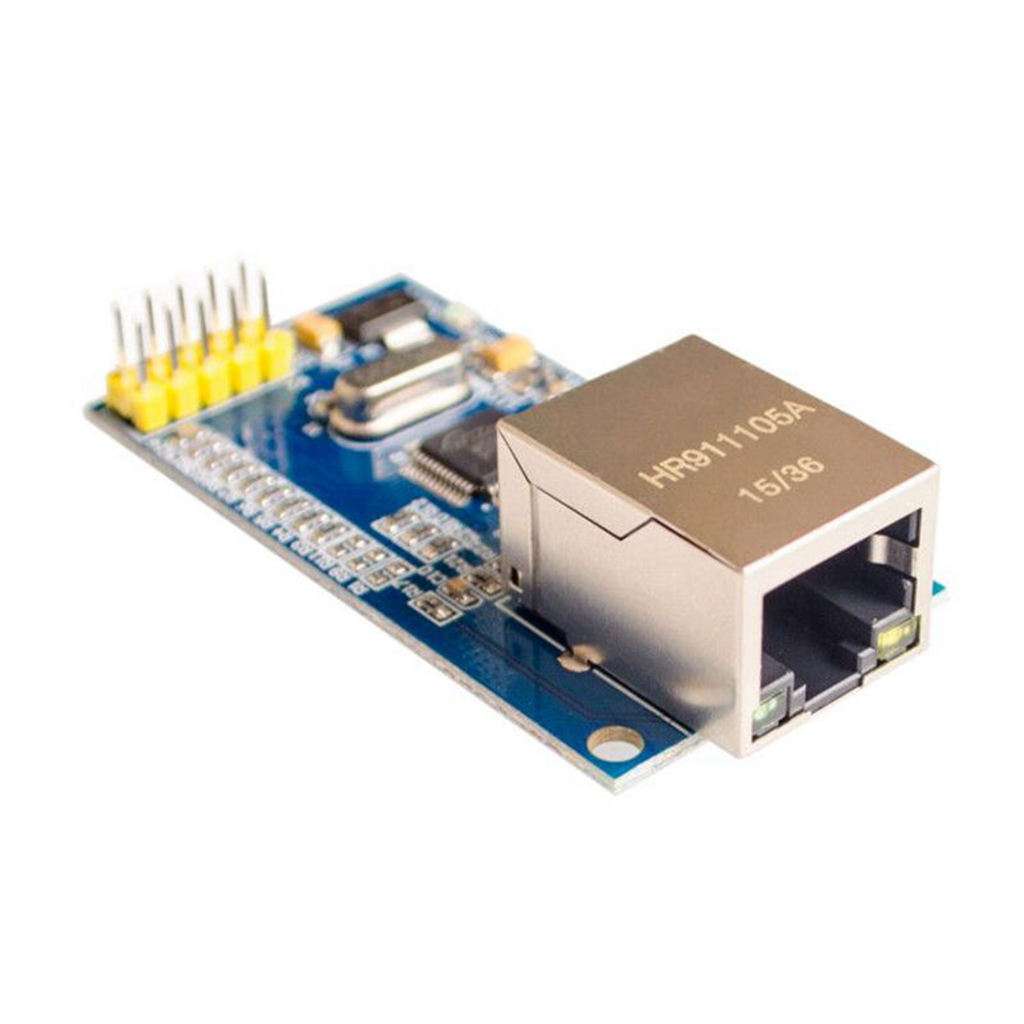
A W5500 Ethernet module adds wired networking to a microcontroller over SPI. It is not a Wi-Fi radio, and it does not automatically turn a small controller into a secure internet-connected appliance merely because an Ethernet cable is attached.
Before buying, check whether the product is a module or a board-specific shield, identify its actual power input and decide what networking software the controller will run. These details matter more than a photograph of an RJ45 socket.

W5500 Ethernet module price and package
| Listed item | Price (PKR) | Project role |
|---|---|---|
| W5500 Ethernet Network Module Hardware Tcp/Ip 51/Stm32 Microcontroller Program Over W5100 in Pakistan | 1,450 | SPI Ethernet module with W5500 controller |
Price snapshot: Epro listings checked on 19 October 2026. Confirm the current price, availability, delivery charges and package quantity on the linked page before ordering. These are dated listing prices, not a quotation or an independent performance test.
The Epro W5500 listing describes a 10/100 Ethernet interface, SPI communication, eight hardware sockets and a module package. It is not a promise that every header, regulator or example intended for a different Ethernet shield matches this board.
1. Match the physical format to the controller
A standalone module uses jumper or custom-board wiring. An Uno-format shield may instead plug into a matching header layout. Similar chip names do not establish matching connectors, chip-select assignments or extra peripherals.
Check the actual board dimensions and labelled connector pins. If following a shield tutorial, separate the controller’s SPI requirements from shield-specific SD-card, reset or power circuitry that may not exist on the module you buy.
2. Distinguish 3.3 V operation from 5 V input tolerance
The listing describes 3.3 V chip operation and 5 V-tolerant I/O. That does not mean the chip’s supply pin should receive 5 V. A module may add a regulator, but the actual input labels and schematic must establish where a higher supply is allowed.
Use a stable source with enough current for the complete module and a suitable margin. Do not assume a small controller’s 3.3 V pin can power every Ethernet board. Confirm the regulator, wiring and decoupling rather than treating a power LED as proof of supply quality.
3. Check SPI and chip-select support
The Arduino Ethernet library documentation supports W5100, W5200 and W5500-based hardware and explains the controller-specific SPI pins. On a conventional Uno, SPI uses D11, D12 and D13, with D10 commonly used for chip select.
Other controllers have different pin mappings. If another SPI device shares the bus, each device needs a distinct chip select and appropriate inactive behaviour. A shared bus does not mean all devices may be selected simultaneously.Newest in the store


4. Plan the network configuration
A first test can use DHCP on a trusted local router or switch connected to a DHCP service. A valid local IP address confirms part of the network setup, not that every external service or internet route is available.
Each device also needs a unique MAC address on the local network. Copying one example MAC onto several boards can create confusing conflicts even when their SPI wiring is correct. A static IP must likewise be chosen to avoid collisions and match the intended subnet.
5. Keep link rate and application throughput separate
A 100 Mbps Ethernet link is not a promise that an Uno application transfers useful data at 100 Mbps. Controller speed, SPI rate, buffers, library behaviour and application processing all affect actual throughput.
The chip’s eight-socket headline also does not remove RAM limits on a small host controller. The Arduino library documentation notes limits for some boards. Choose resources based on the intended number and size of real transactions.
6. Do not assume PoE or automatic security
An RJ45 connector alone does not establish Power over Ethernet support. Do not inject a passive power feed into a module unless its documented hardware is specifically designed for that arrangement.
Likewise, hardwired TCP/IP is not a complete security policy. Authentication, encrypted application protocols, update handling and exposure to untrusted networks need their own design. A basic local test should not require router port forwarding or publishing an unauthenticated control page.
7. Prove local networking before building the application
The W5500 Ethernet Arduino DHCP example separates power, SPI detection, cable link and address assignment. Start on a trusted local network without controlling a hazardous load or exposing a server.
If the chip is detected but DHCP fails, investigate the cable, switch, router and service rather than replacing the microcontroller immediately. A staged test makes faults easier to locate and avoids turning an unclear wiring problem into a larger networking project.