


Arduino Code for Soil Moisture Sensor: 7 Setup Checks

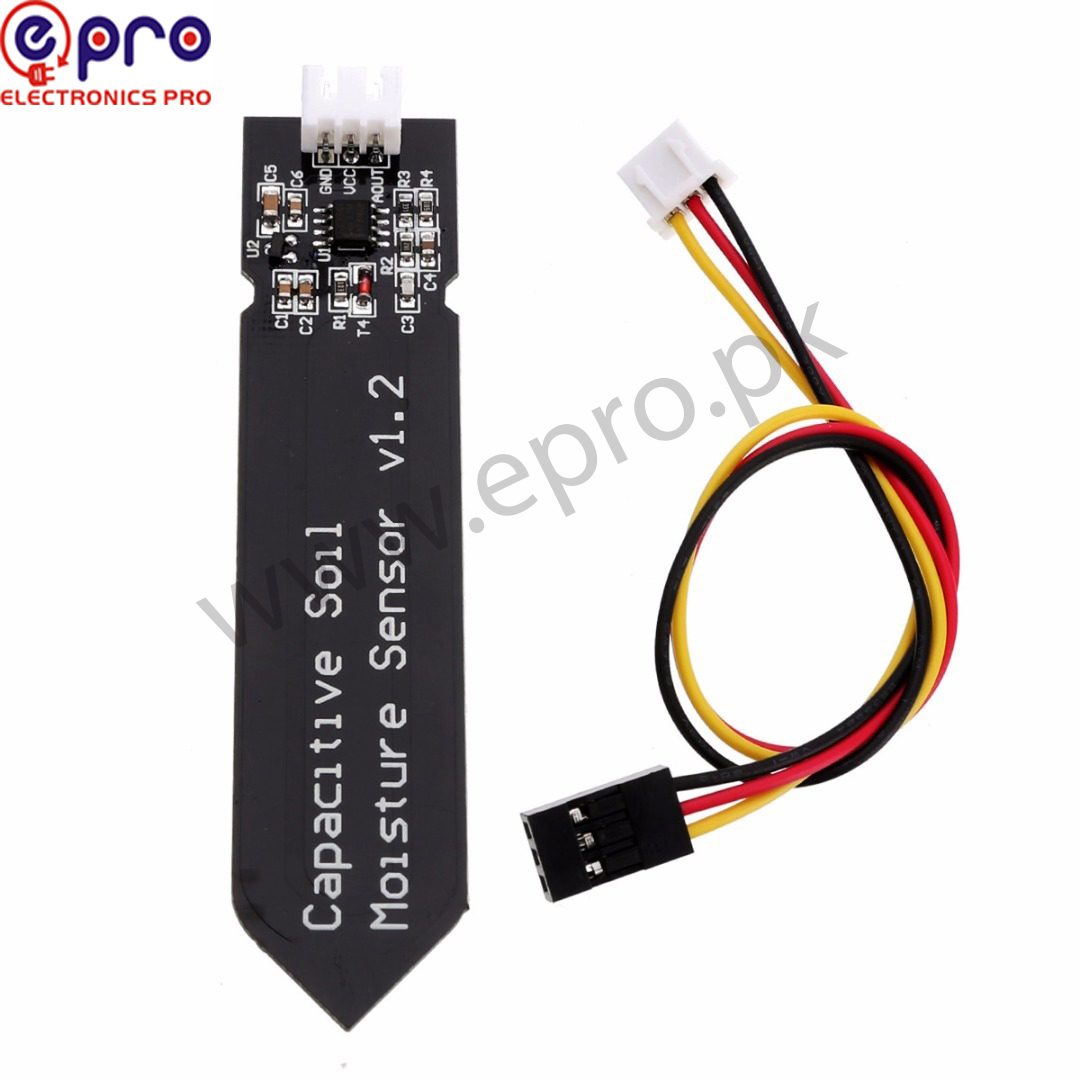
Arduino code for soil moisture sensor projects should begin with raw readings, not an automatic pump. A simple serial-monitor test helps separate wiring faults from calibration problems. Only after the signal behaves consistently should you convert it into a relative wetness display.
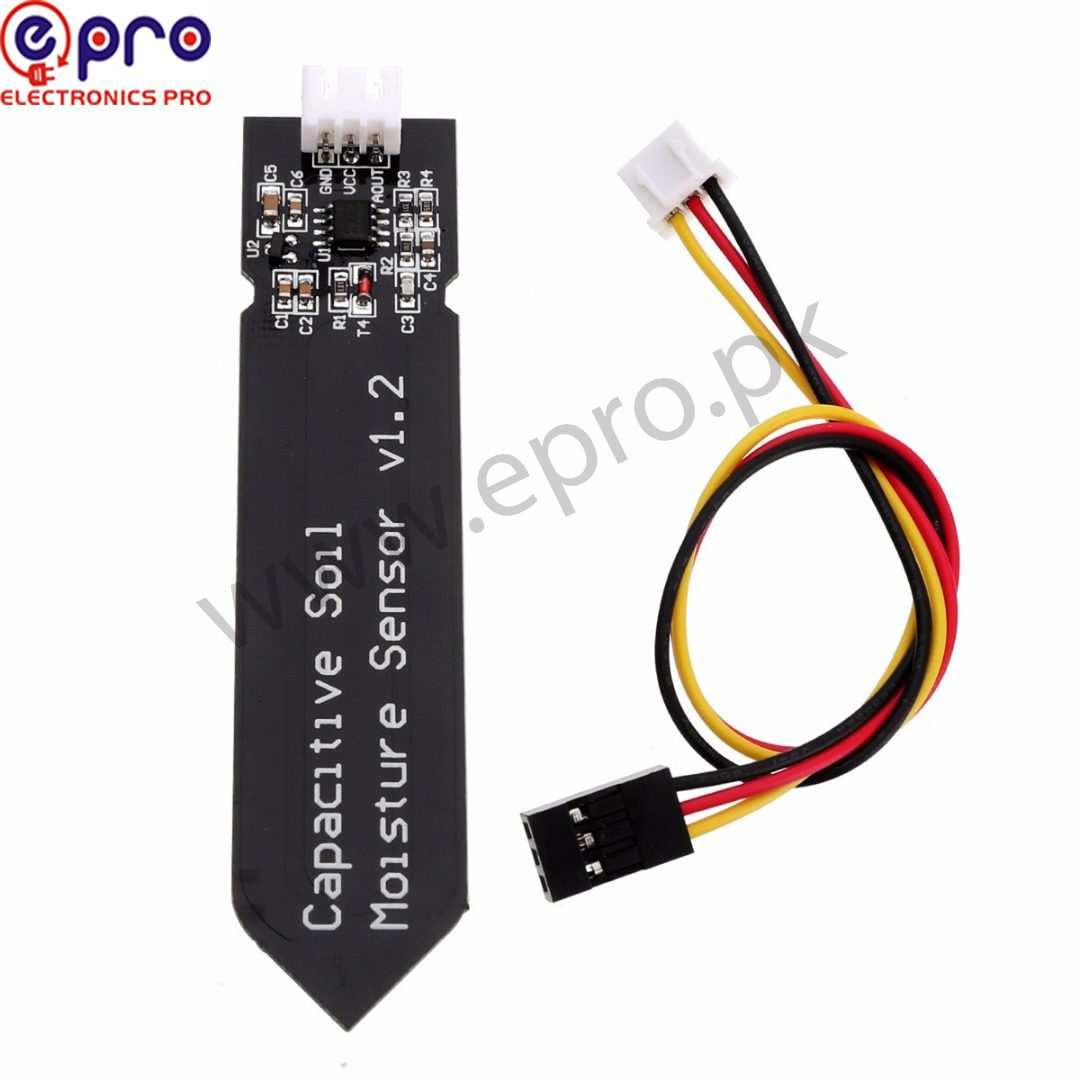
This example uses an Uno-compatible board and an analog capacitive probe such as the Epro soil moisture module. It is educational starter code, not a tested irrigation controller or a calibrated agricultural measurement system.
1. Check the sensor and analog-input limits
Confirm the probe’s supply range and pin labels on the actual unit. The listed module supports 3.3 V or 5 V operation, but a different sensor may not. This wiring example uses a conventional 5 V Uno analog input. Do not transfer the same supply and signal arrangement directly to a 3.3 V-only controller.
With power removed, connect the sensor’s supply to a suitable rated supply, its ground to Uno GND and its analog signal to A0. A common reference is necessary for a meaningful reading. Do not confuse an analog-output pin with a digital threshold output on a different module.
2. Upload Arduino code for soil moisture sensor raw readings
const byte SENSOR = A0;
int readAverage() {
  long total = 0;
  for (byte i = 0; i < 16; ++i) {
    total += analogRead(SENSOR);
    delay(5);
  }
  return total / 16;
}
void setup() {
  Serial.begin(9600);
}
void loop() {
  Serial.print("Raw ADC: ");
  Serial.println(readAverage());
  delay(1000);
}
Open Serial Monitor at 9600 baud. A conventional Uno normally reports a 10-bit ADC count, but another controller can use a different resolution and reference voltage. The small average reduces some random variation; it cannot correct a wrong supply, water-damaged probe or unsuitable installation.
3. Establish meaningful reference conditions
Keep the upper electronics dry. Record readings in repeatable dry and wet reference conditions relevant to your growing medium, maintaining insertion depth and packing. Avoid creating an apparent calibration by changing both soil and probe position at once. Allow readings to settle and record several observations rather than selecting one convenient number.
The DFRobot sensor calibration guide uses air and a limited-depth water reference for its own specified probe. Follow your exact product’s immersion limits. That example does not authorize submerging the connector or exposed electronics of a generic module.
Newest in the store


4. Calculate a relative index only after calibration
If your measured dry endpoint is D, wet endpoint is W and current raw value is R, a relative index can be calculated as 100 × (D − R) / (D − W). Reject the calculation when D equals W, and constrain the displayed result to the chosen 0–100 range. Check the direction using your own observations; this module’s listing describes lower voltage with greater moisture.
Label that result a relative wetness index, not an independently verified soil-water percentage. The formula maps two reference readings; it does not determine volumetric water content, plant health or a universal watering threshold.
5. Diagnose unexpected values
A value stuck near an endpoint may indicate a disconnected signal, wrong rail, damaged probe or an input driven outside its permitted range. Disconnect power before changing wiring. Check the signal with suitable measurement equipment and verify polarity before replacing code with more complicated filtering.
If values jump when a nearby motor starts, inspect supply and grounding arrangements. If they change when the probe is moved slightly, the issue may be soil contact and packing rather than software. Logging the raw value alongside the interpreted result makes these causes easier to distinguish.
6. Keep the first project observational
Do not connect a pump to A0 or any other GPIO. Automated watering needs a properly rated driver, separate power planning and fault handling. A disconnected sensor should not be allowed to request unlimited watering. Keep any water-handling equipment safely separated from exposed electronics.
7. Choose the next improvement deliberately
Compare probe limitations in the capacitive soil moisture sensor buying guide. Once raw readings are stable, an I2C OLED display can show the value without a computer. Add that display only after the sensor works on its own, so two simultaneous wiring problems do not obscure the cause.