


LDR Sensor Arduino: Voltage Divider and Code Guide

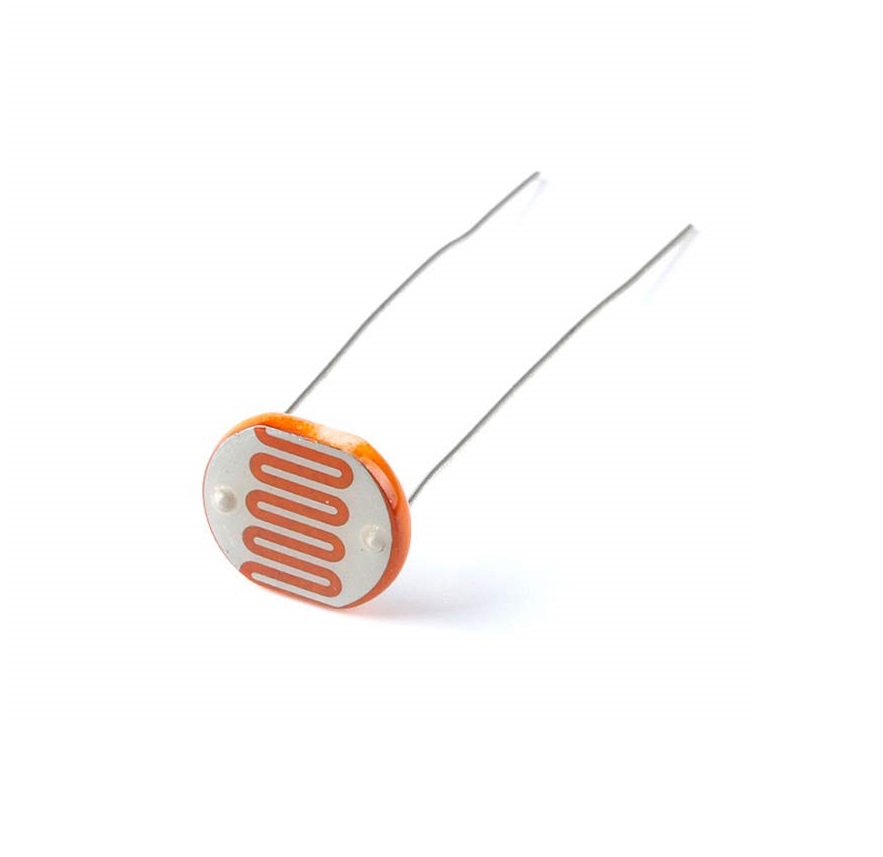
An LDR sensor Arduino project can demonstrate analog measurement with only a photoresistor, a fixed resistor and a low-voltage controller. The key is to understand the divider arrangement so the direction of the reading is predictable.
This guide uses a conventional 5 V Uno-compatible board and a bare photoresistor. It controls only the built-in LED. It is not a mains light-switch tutorial, a calibrated lux meter or a tested building-lighting controller.

1. Gather the correct LDR sensor Arduino parts
Use a bare 5 mm LDR, a suitable 10-kilohm resistor, jumper wires and a known breadboard. A three-pin comparator module is a different circuit and cannot be substituted without reviewing its output behaviour.
The 10-kilohm value is a starting point, not a universal optimum. Choose an appropriate resistor power rating and verify the components. Keep the project on a safe low-voltage supply and disconnect power before changing wiring.
2. Wire a defined voltage divider
- Connect one LDR lead to Uno 5 V.
- Connect its other lead to a free breadboard node.
- Connect that node to Uno A0.
- Connect the 10-kilohm resistor from the same node to GND.
- Check the breadboard’s internal connections and confirm there is no direct supply-to-ground short.
A bare LDR normally has no polarity, but the circuit arrangement determines the direction of the output. In this arrangement the LDR is the upper element and the fixed resistor is the lower element. Do not move both components into one connected breadboard strip and accidentally bypass them.
3. Predict what brightness will do
The node voltage is approximately VCC × Rfixed / (RLDR + Rfixed). As light increases, a typical LDR’s resistance falls and the measured node voltage rises. Reversing the divider elements reverses that trend.
The Adafruit photocell reference explains the same arrangement and its nonlinear response. Raw ADC values represent voltage counts, not a linear brightness percentage or a ready-made lux measurement.
4. Upload a raw-reading and LED example
const byte LIGHT = A0;
const int DARK_ON = 300;   // Example only: set from your readings
const int BRIGHT_OFF = 400; // Must be above DARK_ON
bool darkState = false;
void setup() {
  Serial.begin(9600);
  pinMode(LED_BUILTIN, OUTPUT);
  digitalWrite(LED_BUILTIN, LOW);
}
void loop() {
  int raw = analogRead(LIGHT);
  if (raw < DARK_ON) darkState = true;
  else if (raw > BRIGHT_OFF) darkState = false;
  digitalWrite(LED_BUILTIN, darkState ? HIGH : LOW);
  Serial.print("Raw ADC: ");
  Serial.println(raw);
  delay(250);
}
Open Serial Monitor at 9600 baud. A conventional Uno normally produces a 10-bit ADC count. Another controller can have a different resolution and reference voltage, so do not transplant thresholds unchanged. This 5 V divider is not direct-wiring guidance for a 3.3 V-only ADC.Newest in the store


5. Replace example thresholds with observations
Record values under the actual bright and dark conditions at the intended location. The example numbers 300 and 400 are placeholders, not calibration results for your sensor. Select thresholds that fit the observed ranges and keep the off threshold above the on threshold for this circuit’s direction.
The gap provides hysteresis: the LED turns on below one boundary and off above another, retaining its state between them. This reduces rapid toggling near a single threshold, but does not correct bad wiring, unsuitable resistor selection or a moving light source.
6. Diagnose saturated or unstable readings
If the reading barely changes, check whether the input is stuck near a rail, the node is disconnected or the divider is wired incorrectly. If it saturates in the intended bright range, consider a different fixed resistor using a properly evaluated circuit rather than assuming software can recover missing information.
Keep the sensor away from the built-in LED and other controlled light sources during the first test. Otherwise the indicator can affect the measurement. Inspect loose breadboard contacts and supply stability before adding heavier filtering.
7. Keep units and load control honest
Label the result raw ADC or a clearly defined relative value. Do not print lux without a suitable sensor-specific calibration model and validation. A separate lamp requires an appropriate driver; it must not be powered from A0 or the sensor node.
Use the LDR buying guide to compare bare sensors with threshold modules. For breadboard basics, review the existing breadboard connections tutorial before adding more components.