


MAX6675 Arduino: Wiring, Temperature Code and Fault Checks

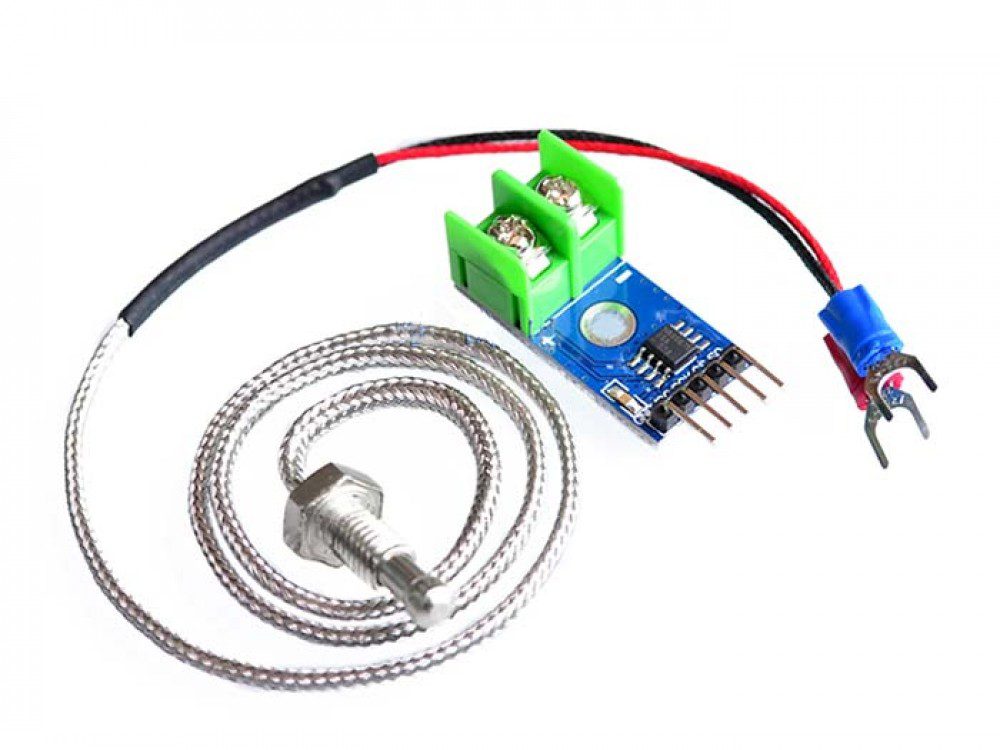
This MAX6675 Arduino example reads a K-type thermocouple at a relaxed one-second interval and reports an open-probe fault. It is a room-temperature learning project, not a tested thermostat, calibration procedure or safety controller.
Use a conventional 5 V Uno-compatible board with a verified MAX6675 module and K-type probe. Check the actual board labels before applying power. Other controller voltages and unidentified module variants require their own electrical review.

1. Identify the MAX6675 Arduino connections
| Converter connection | Uno connection |
|---|---|
| VCC | 5 V, for this verified 5 V arrangement |
| GND | GND |
| SO or DO | D4 |
| CS | D5 |
| SCK or CLK | D6 |
| T+ and T- | Corresponding K-type probe leads |
Disconnect USB and any other supply before making connections. This library uses the assigned digital pins for a software-clocked interface, so D6 here is intentional rather than the Uno’s usual hardware SPI clock pin.
SO means serial output from the converter. It connects to the controller input. There is no MOSI connection in this read-only example. Verify probe polarity from the supplied probe documentation; do not assume one worldwide wire-colour convention.
2. Install the library and allow conversion time
Install the Adafruit MAX6675 library through Arduino Library Manager. The constructor takes clock, chip select and data output in that order. Pin names printed on different boards can vary, but the electrical roles do not.
The converter datasheet specifies a conversion time of up to about 0.22 seconds. A delay at startup and a one-second reporting interval give this beginner example ample time rather than repeatedly displaying an old conversion.
3. Upload the temperature and fault example
#include <max6675.h>
#include <math.h>
const byte CLOCK_PIN = 6;
const byte SELECT_PIN = 5;
const byte DATA_PIN = 4;
MAX6675 thermocouple(CLOCK_PIN, SELECT_PIN, DATA_PIN);
void setup() {
  Serial.begin(9600);
  delay(500);
}
void loop() {
  float celsius = thermocouple.readCelsius();
  if (isnan(celsius)) {
    Serial.println("Open thermocouple: check probe and terminals");
  } else {
    Serial.print("Measured temperature C: ");
    Serial.println(celsius, 2);
  }
  delay(1000);
}
Open Serial Monitor at 9600 baud. The library implementation returns a non-number value when it detects the open-thermocouple condition, which is why the sketch uses isnan instead of treating every result as a temperature.
Newest in the store


4. Check a plausible ambient reading
Keep both probe and board away from heaters for the first run. A plausible room reading establishes a basic communication and connection check; it does not prove accuracy across a high-temperature process.
The two decimal places in the printed number are formatting. They do not improve the converter’s 0.25°C resolution or establish a ±0.01°C accuracy claim. Compare with an appropriate reference if your project needs a specific uncertainty limit.
5. Diagnose faults without guessing
For an open-probe message, switch off power before checking terminal tightness, polarity and damaged leads. If nothing appears in Serial Monitor, first check the port, board selection and baud rate rather than replacing the probe immediately.
A constant or implausible number can also come from a wrong SO/CS/clock connection, unsuitable supply or a different converter chip. Confirm the marking and wiring against the library’s intended device. A MAX31855-style board should not be treated as the same part just because its connector looks similar.
6. Respect the probe and installation limits
The converter’s numeric range is not a rating for the probe insulation, connector or board placement. Keep the PCB within its ambient limits and avoid thermal gradients near the cold-junction area. The MAX6675 buying guide explains why these limits must be evaluated separately.
Never place a probe on live electrical conductors using this beginner arrangement. Do not connect a heater or mains relay to extend the demonstration. A real thermal controller needs validated fault responses and independent protection appropriate to the equipment, not just a serial reading.