


W5500 Ethernet: Arduino Wiring, DHCP Code and 7 Checks

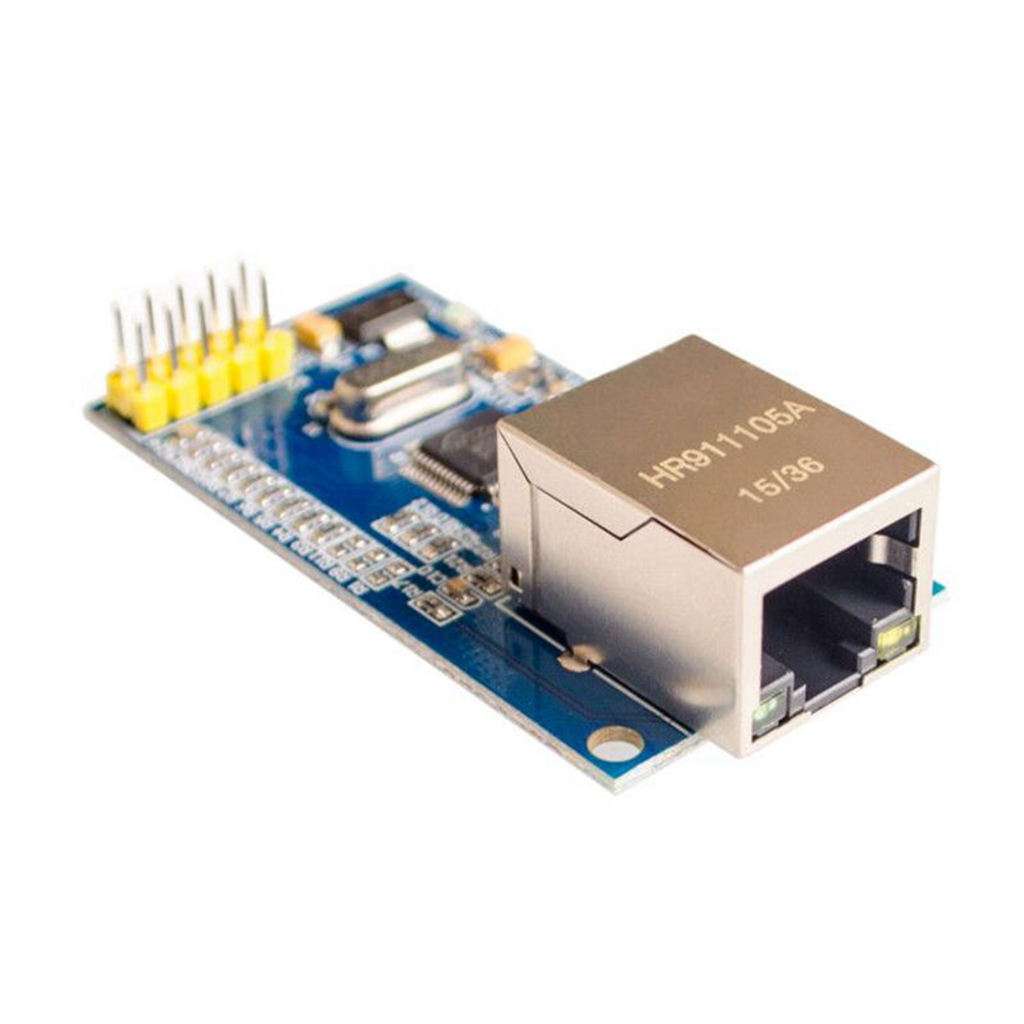
This W5500 Ethernet example connects a conventional Uno to a trusted local network and requests an address with DHCP. It prints basic diagnostic information rather than opening a web server or sending data to an external service.
Use the listed W5500 module only after identifying its actual power input. The chip operates at 3.3 V; the listing’s 5 V I/O tolerance does not authorise applying 5 V to an unregulated 3.3 V supply terminal.

1. Verify the supply arrangement first
Provide the module’s verified 3.3 V input from a suitable regulated source with enough current and appropriate decoupling. Join its ground to Uno GND. Do not assume the Uno’s small 3.3 V output is sufficient for this Ethernet module.
If a different board offers a documented regulated higher-voltage input, follow that board’s schematic instead. Keep separate power-source outputs from being tied together accidentally. Disconnect all supplies while changing wiring.
2. Make the W5500 Ethernet SPI connections
| Verified module signal | Conventional Uno |
|---|---|
| SCK | D13 |
| MISO | D12 |
| MOSI | D11 |
| CS or SCS | D10 |
| GND | GND shared with module supply |
Follow labels rather than assuming a header order. Confirm the supplied board uses the documented W5500-compatible input levels. Any reset input must also have its documented inactive state; do not leave a required reset input floating.
The Arduino Ethernet documentation lists different SPI assignments for other Arduino boards. A Mega or another controller should not inherit the Uno wiring table without review.
3. Prepare a local DHCP network
Connect an ordinary Ethernet cable to a trusted router or switch whose network provides DHCP. The example does not require internet access, port forwarding or a public IP address. Do not use an undocumented passive PoE power arrangement.
The sample MAC begins with a locally administered unicast prefix. Change it to a unique value for each test device on your LAN. Reusing it on multiple boards can create conflicts that resemble random networking faults.
4. Upload the DHCP diagnostic example
#include <SPI.h>
#include <Ethernet.h>
byte mac[] = {0x02, 0x45, 0x50, 0x52, 0x4F, 0x01};
void setup() {
  Serial.begin(9600);
  Ethernet.init(10);
  if (Ethernet.begin(mac) == 0) {
    if (Ethernet.hardwareStatus() == EthernetNoHardware) {
      Serial.println("Ethernet chip not detected: check power and SPI");
    } else if (Ethernet.linkStatus() == LinkOFF) {
      Serial.println("No cable link detected");
    } else {
      Serial.println("DHCP failed: check local DHCP service and MAC uniqueness");
    }
    while (true) { delay(100); }
  }
  Serial.print("Assigned local IP: ");
  Serial.println(Ethernet.localIP());
}
void loop() {
  int result = Ethernet.maintain();
  if (result == 1 || result == 3) {
    Serial.println("DHCP lease renewal or rebind failed");
  }
  delay(1000);
}
Install or update the standard Arduino Ethernet library before compiling. Open Serial Monitor at 9600 baud. DHCP initialization can take time; avoid assuming an empty first moment means the program has stopped.Newest in the store


5. Interpret each diagnostic stage
No detected hardware points first towards supply, SPI, chip select or reset. A detected chip with no link points towards the cable, switch and physical connection. An active link without a DHCP address suggests a different layer of the problem.
These categories guide investigation but are not exhaustive fault diagnoses. Verify one change at a time and restart after correcting wiring or the network environment.
After a successful lease, leave the demonstration running and observe whether power or link interruptions cause failures. The loop calls Ethernet.maintain to service the lease; it does not implement a complete automatic recovery strategy after every possible outage.
Record the assigned address and compare it with the router’s local DHCP list if you have authorised access. The address belongs to the current lease and may change later. Do not hard-code it into another device merely because it remained stable during one short test.
If the same MAC was copied onto another prototype, disconnect the duplicate and assign distinct local addresses before continuing. Changing cables or reducing SPI speed cannot reliably solve a network identity collision. Keep hardware, physical link and addressing checks separate.
6. Keep the demonstration local
A printed local IP is not proof that TLS, authentication or a complete application protocol is working. This example deliberately avoids an unauthenticated server and external network traffic.
7. Plan the next application separately
The W5500 Ethernet module buying guide explains host-memory and throughput limits. Establish stable power and local networking before adding sensors or remote control. Never treat a working DHCP lease as validation of a safety-critical connected device.