


Arduino Mega 2560 Pin Diagram: 7 Safe Wiring Checks

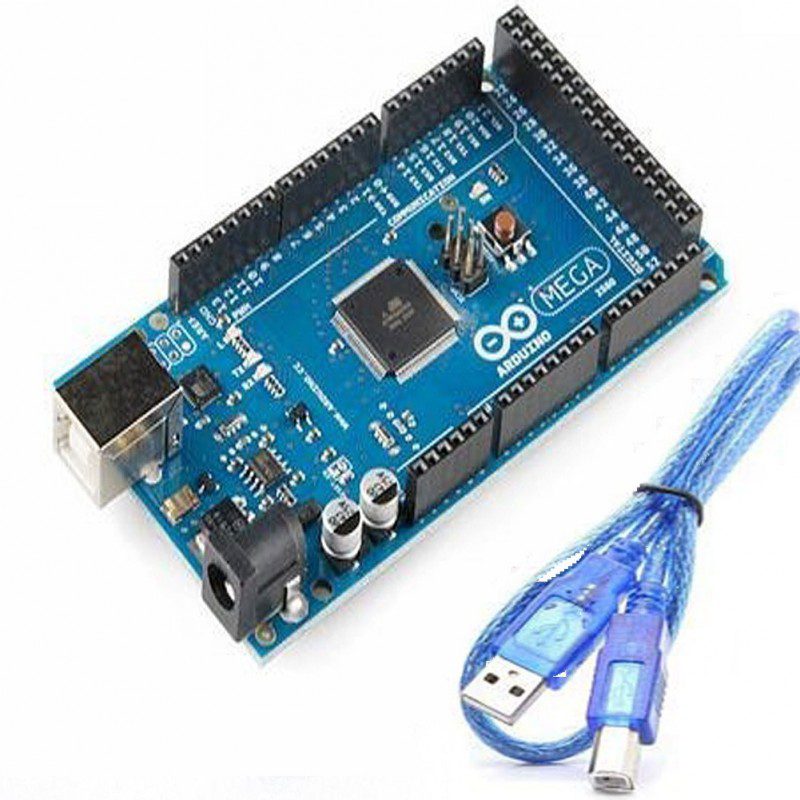
Use an Arduino Mega 2560 pin diagram before moving an Uno project onto a larger board. The extra headers are helpful, but UART, I2C, SPI and PWM functions still occupy specific pins. This guide covers the standard Mega 2560 Rev3 layout; confirm your board revision and do not substitute a Pro Mini-style Mega pinout.
1. Separate a board label from a chip pin number

Sketch pin numbers refer to the Arduino board mapping, not the physical lead number on the ATmega2560 package. Start with the official Mega pinout linked below, orient the USB connector correctly and identify the GND header. Copy the board labels into your wiring notes. Turning a diagram upside down while counting pins is an easy way to put power onto a signal.
2. Reserve the communication pins first
| Interface | Standard Mega 2560 board pins | Planning note |
|---|---|---|
| UART0 | RX0 0, TX0 1 | Shared with the USB serial path |
| UART1 | RX1 19, TX1 18 | Use Serial1 in sketches |
| UART2 | RX2 17, TX2 16 | Use Serial2 in sketches |
| UART3 | RX3 15, TX3 14 | Use Serial3 in sketches |
| I2C | SDA 20, SCL 21 | Also presented on dedicated SDA/SCL header |
| SPI | MISO 50, MOSI 51, SCK 52, SS 53 | SPI also available at ICSP header |
Assign each peripheral to an interface before attaching it. Connect a peripheral transmitter to the corresponding receiver, and connect ground. Check voltage levels separately: a pin function label does not guarantee electrical compatibility with a 3.3 V-only sensor.
3. Treat analog inputs as measurements, not power outputs
The standard board exposes A0 through A15. For a simple potentiometer test, use a 10 kΩ potentiometer between the board’s 5 V and GND and take its wiper to A0. Keep the signal within the selected analog-reference range. AREF is a reference connection with specific rules, not a convenient extra supply. Do not connect an arbitrary external voltage to it.
4. Identify PWM pins without assuming true analog output
The Mega supports PWM on digital pins 2–13 and 44–46. The analogWrite function produces a duty-cycled digital signal on those pins; it is not a variable DC voltage source or a motor power supply. Timer-using libraries can affect PWM behavior, so check the libraries in the complete project before allocating a timer-related output.
5. Make a no-load analog test
This small example uses the default ADC setup and reports raw counts rather than claiming a calibrated voltage. Open Serial Monitor at 9600 baud. Move the potentiometer slowly and expect readings to vary between values near the two ends; noise and endpoint differences are normal.
void setup() {
  Serial.begin(9600);
}
void loop() {
  int raw = analogRead(A0);
  Serial.println(raw);
  delay(200);
}
If the value stays fixed, disconnect power before checking the wiper connection and ground. A floating A0 can vary even with no sensor attached; that is not proof of a failed ADC.
Newest in the store


6. Protect GPIO and supply rails
Never connect motors, relay coils or long LED strips directly to an I/O pin. Use suitable drivers, protection and external power. Keep 5 V and 3.3 V rails distinct, and verify an accessory’s input tolerance before connecting it. A shared ground does not mean the positive supply rails should be joined.
7. Document and expand one peripheral at a time
Record the pin label, wire color, signal direction and supply voltage for each connection. Test a single device before adding another, and keep pins 0 and 1 free during initial USB upload troubleshooting. This makes a later fault traceable to a specific change instead of requiring the whole circuit to be dismantled. Save the actual board pinout with the project files.
Epro parts and availability
These are relevant Epro listings, not independent authenticity or performance certifications. Prices below were checked on 19 October 2026; they are a dated snapshot rather than a historical price implied by this article’s publication date. Confirm the exact variant, included accessories, stock and current checkout price before ordering.
| Listing | Checked price | Stock at check |
|---|---|---|
| Arduino Mega 2560 R3 CH340G With Cable in Pakistan | PKR 3,750 | In stock |
Frequently asked questions
Can I use Uno I2C wiring unchanged?
Not when it relies on Uno A4/A5. On the standard Mega, use SDA 20 and SCL 21 or the dedicated equivalent SDA/SCL header.
Are pins 0 and 1 unusable?
No, but they share UART0 with the USB serial connection, so an attached device can interfere with uploading or Serial Monitor.
Related Epro guides
Technical references and verification
The guidance above is based on the manufacturer documentation linked here and the listed product information. Example procedures and sketches are provided for a controlled low-voltage bench setup; no independent hands-on test of your particular board or adapter is claimed. Check the markings and documentation for your actual revision.