


ESP32 WROOM: 7 Module and Board Checks

Last checked: 18 October 2026. Any prices below are dated Epro listing examples, not guaranteed current quotations. Confirm the exact model, stock and package before ordering.
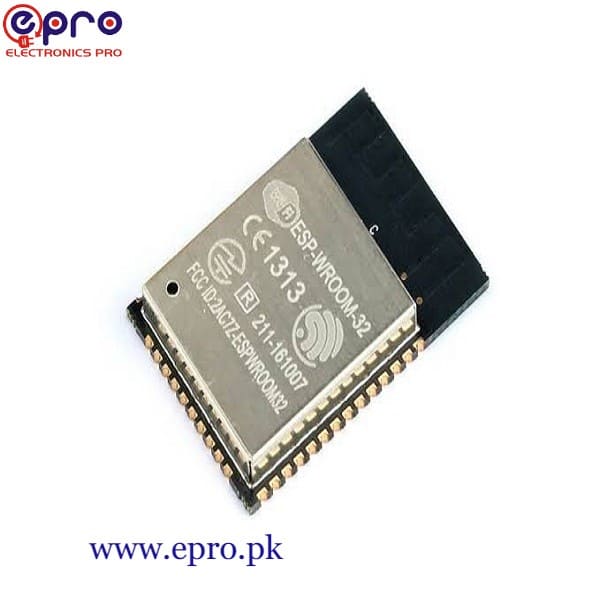
ESP32 WROOM often appears in listings for both a wireless module and a complete development board. The difference matters: the module is a building block for a circuit, while a development board normally adds hardware that makes powering and programming it easier.

This guide explains integration choices rather than repeating a board price list. Check the exact marking, revision and manufacturer documentation; “ESP32” is a family name, not a guarantee that all versions have the same processor, pin map, memory or wireless features.
1. Identify the exact ESP32 WROOM part
Look for the full module marking, not just the seller’s short title. For example, ESP32-WROOM-32E and ESP32-WROOM-32UE are related original-ESP32 modules with different antenna arrangements. Other modules containing WROOM in their name can belong to newer chip families. Their software target and integration requirements may differ.
The Espressif WROOM-32E and WROOM-32UE datasheet describes those particular modules. It should not be applied indiscriminately to an ESP32-S3-WROOM or an unknown board.
2. Separate a module from a USB board
A module contains the wireless microcontroller and supporting parts within a compact package. A USB development board typically adds a connector, power regulation, programming interface and accessible headers. Those additions are why a beginner can usually connect a development board to a computer more easily than a bare module.
Check listing photographs and the supplied schematic. A small board may still omit headers or need a separate programmer. Read the ESP32 board buying guide when comparing the complete cost of a usable first setup.
3. Design the power supply for the exact module
A bare module’s power pins are not a generic 5V input. Follow its specified supply range, peak-current requirements, decoupling and power sequencing. A USB development board can accept a board-specific input because its regulator handles conversion; that does not make the underlying ESP32 GPIO or module supply 5V-tolerant.
Wireless transmission can create brief demand that an inadequate regulator or poor wiring cannot support. Brownout resets are not proof of defective firmware. Verify the supply, layout and connections before disabling diagnostic features or changing voltage settings.
Newest in the store


4. Plan programming and startup connections
A bare module may require correctly wired UART programming, reset and boot control connections. A development board often implements those functions already. Check the module’s strapping pins and the programmer’s signal levels. Do not infer programming connections from a different family or a rotated photograph.
For an original ESP32 board, the ESP32 GPIO guide explains common flash, input-only and startup restrictions. For a first USB upload, use the Arduino IDE setup guide.
5. Respect the antenna layout
A module with a PCB antenna needs the manufacturer-specified placement and keep-out area. Nearby metal, enclosure parts, copper and cables can affect wireless performance. The UE version uses an external-antenna connector; select the antenna and connection arrangement according to the relevant documentation and local requirements.
Do not assume that an external antenna automatically provides better range in every enclosure. Frequency compatibility, antenna placement and the complete RF design matter. Range claims require defined test conditions, not just a different connector.
6. Check memory and peripheral assumptions
Do not assume every WROOM module contains PSRAM or exposes every chip signal. Read the exact part’s memory and pin tables. A tutorial that depends on a camera, a large display buffer or a specific USB function may require hardware that the selected module does not provide.
7. Choose the appropriate starting point
For a first sensor project, a documented USB development board is often the simpler route. For an experienced PCB designer, a module can support a more compact integration, but layout, power and production testing remain design responsibilities. Epro’s ESP-WROOM-32 module listing and WROOM development board listing illustrate why you should compare the actual package, not only the WROOM name. Check current stock individually.
Common questions
Can I solder a module onto any prototype board?
Footprint, power distribution and antenna layout must follow the module requirements. A physical connection alone does not create a reliable design.
Is WROOM a separate Arduino board type?
It is a module family designation. Select the software target and board profile for the exact hardware you have.