


Logic Level Converter Wiring: ESP32 I2C and 7 Checks

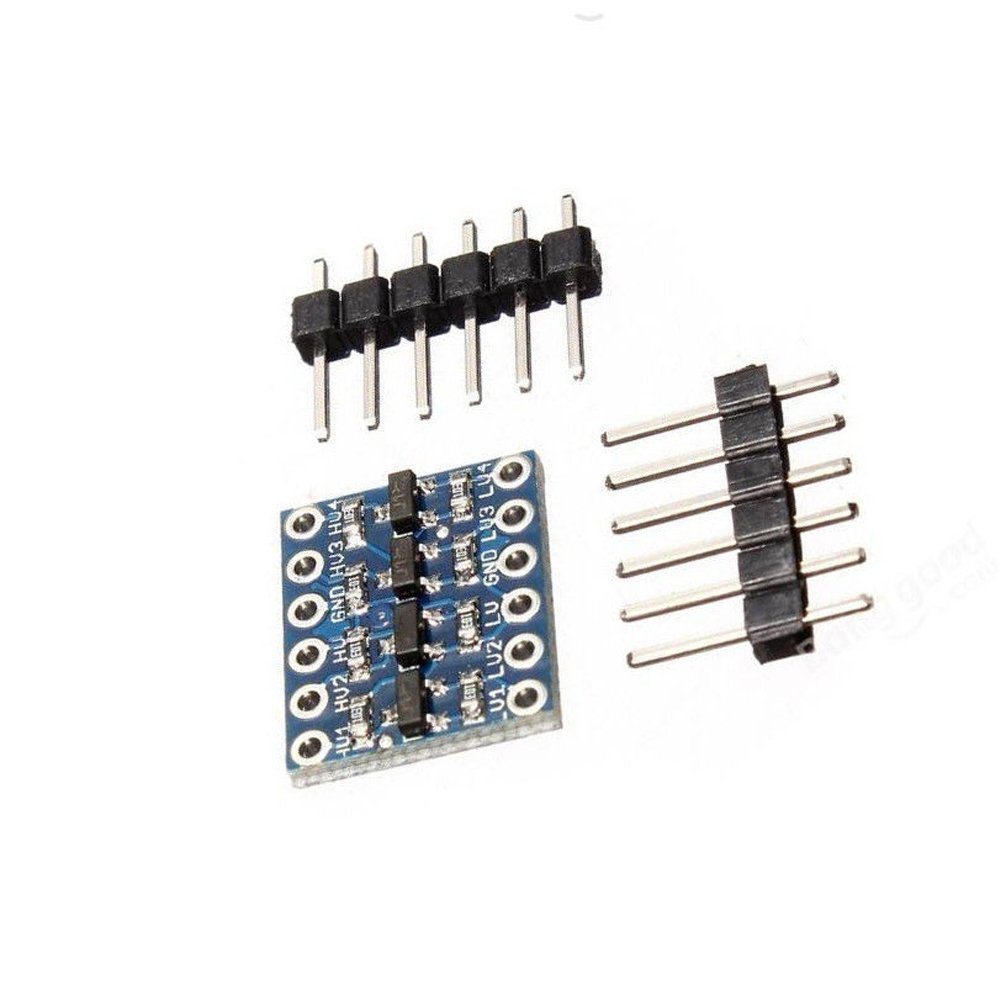
A logic level converter can separate the 3.3 V and 5 V pull-up domains of a compatible I2C bus. Both data and clock must pass through the appropriate paired channels rather than leaving one controller input exposed to a higher-voltage pull-up.
This tutorial describes a classic ESP32-WROOM development board, a basic four-channel MOSFET converter and a compatible 5 V I2C peripheral such as a documented expander backpack. It is not an isolated interface or a universal solution for every mixed-voltage protocol.

1. Verify the exact converter board
The four-channel level converter listing describes a board that needs both voltage references. Identify HV, LV, GND and the numbered channel pairs on the actual module. Do not substitute a different board with an onboard regulator without reviewing its power wiring.
The SparkFun hookup guide explains the MOSFET-and-pull-up arrangement. The low-side reference is an input to this basic circuit, not a regulated output produced automatically from the high side.
2. Plan the two supply domains
Use a documented 3.3 V reference for the ESP32 side and a suitable regulated 5 V source for the peripheral side. Verify polarity and voltage with an appropriate meter before connecting the signals. Keep all wiring unpowered while assembling it.
If the ESP32 is powered by USB and the peripheral by a separate 5 V supply, share their intended ground reference but do not casually connect the two positive 5 V rails together. Avoid backfeeding USB or paralleling supplies without an appropriate power design.
3. Wire the logic level converter channel pairs
| Converter connection | Destination |
|---|---|
| LV | Regulated 3.3 V reference |
| HV | Regulated 5 V reference |
| GND | ESP32 and peripheral common ground |
| LV1 | Classic ESP32 GPIO21, SDA |
| HV1 | 5 V peripheral SDA |
| LV2 | Classic ESP32 GPIO22, SCL |
| HV2 | 5 V peripheral SCL |
The peripheral’s own VCC connects to its appropriate supply, not to a signal channel. Unused channels can remain unused. Other ESP32 families may use different safe I2C pins, so check the board documentation before copying GPIO21 and GPIO22.
Newest in the store


4. Review pull-ups before power-on
Each side must rise toward its own correct voltage reference. Check converter and peripheral pull-ups, especially if several boards are connected. Do not retain an accidental direct SDA or SCL jumper that bypasses the translator and joins the voltage domains.
Use short wires for the first test. This circuit is intended for an appropriate open-drain bus; it is not a licence to join two conflicting push-pull outputs or to translate an analog voltage proportionally.
5. Upload a basic ESP32 I2C scan
#include <Wire.h>
void setup() {
  Serial.begin(115200);
  Wire.begin(21, 22);
  Wire.setClock(100000);
  Serial.println("Scanning I2C bus");
  byte found = 0;
  for (byte address = 1; address < 127; address++) {
    Wire.beginTransmission(address);
    byte result = Wire.endTransmission();
    if (result == 0) {
      Serial.print("ACK at 0x");
      if (address < 16) Serial.print('0');
      Serial.println(address, HEX);
      found++;
    }
  }
  Serial.print("Responding addresses: ");
  Serial.println(found);
}
void loop() {
}
Open Serial Monitor at 115200 baud. The scan runs once after startup and uses a 100 kHz starting bus speed. Reset the board to repeat it after an unpowered wiring change. Do not assume one familiar backpack address applies to every peripheral.
6. Interpret acknowledgments cautiously
An acknowledgment indicates that an address responded. It does not identify every chip uniquely, initialize a display or prove reliable timing under every load. Compare the observed address with the peripheral’s documentation before selecting its application library.
If no address responds, check the two references, shared ground, matching channel pairs and peripheral power. Increasing bus speed is not a sensible first fix for missing devices. Review capacitance and pull-up arrangements if a short test works but a longer installation does not.
7. Expand within the converter’s role
After the bus responds, use the peripheral’s own library and functional test. The bidirectional logic level converter buying guide covers analog, power and isolation limits. Keep the circuit within documented voltages and validate any faster or more complex interface separately.