


HC12 AT Commands: Check Settings Before a Serial Link Test

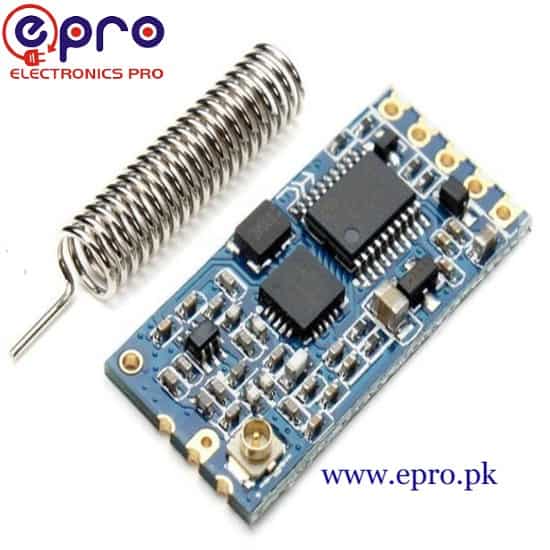
HC12 AT commands configure a compatible HC-12 radio’s serial and operating settings. Use them to document two modules before attempting a lawful bench link. This guide does not treat the Epro listing’s Bluetooth title as a protocol specification: verify that the actual supplied board is an HC-12 UART radio.
Prepare a documented host connection

Use a suitable USB-to-UART adapter or a controller UART with verified logic levels. Cross host TX to module RX and host RX to module TX, and connect a common ground. Power the module from a stable supported supply with adequate burst capability. Do not connect true RS232 voltage levels to these TTL/CMOS serial pins.
Enter configuration mode using the manual
The referenced HC-12 manual uses its SET input to select command mode. Follow the documented pin state and entry/exit timing for the actual firmware; do not leave control inputs in an uncertain state. Use a terminal with the required serial framing and command format. Avoid inventing a universal procedure for clone boards with unknown firmware.
Query before changing parameters
Read the firmware/version and saved configuration using the supported query commands in the manual. Record UART baud rate, communication mode, channel and transmit-power setting for both modules. If the current serial rate is unknown, consult the board documentation rather than repeatedly sending random configuration strings. Keep an unchanged baseline in your project notes.
Choose only permitted radio settings
Before setting a channel or power, verify local spectrum permissions and the module’s approved operating conditions. The manual’s maximum frequency range and output power are technical capabilities, not a legal recommendation. Use a compatible documented antenna. This guide deliberately does not prescribe a maximum-power setting or a supposedly universal legal channel.
Match both ends and leave command mode
Configure a compatible UART rate and radio mode at both ends, then exit command mode as directed and allow normal operation to resume. Keep diagnostic USB serial separate from the module UART where possible. On boards with multiple hardware UARTs, choose a documented free port rather than sharing upload pins unnecessarily.
Test with numbered non-sensitive messages
Where radio use is permitted, send short numbered test lines at a modest interval over a short bench distance. Log missing, duplicated or corrupted messages at the receiving host. Test the reverse direction separately and avoid simultaneous uncontrolled transmissions. A displayed line confirms that line only; it does not establish a guaranteed range, throughput or error-free link.
Newest in the store


Separate configuration faults from RF faults
No command response calls for checking SET state, terminal baud, framing and host wiring. Successful commands but no remote data call for checking matching radio settings, supply stability and the lawful antenna/test arrangement. Do not increase power as the first troubleshooting step. Preserve the working settings before adding application logic or longer messages.
Relevant Epro listing
Product information and prices were checked on 19 October 2026. This is a current snapshot, not a historical price associated with the publication timestamp. Stock, accessories and checkout prices can change. Listing claims are not independent performance or authenticity certifications.
| Product | Checked price | Stock |
|---|---|---|
| HC12 Bluetooth Transceiver Module in Pakistan | PKR 1,530 | In stock |
Frequently asked questions
Should maximum power be the first troubleshooting step?
No. Check legal settings, power stability, wiring, mode and channel compatibility first.
Does receiving a test line prove the link is reliable?
No. Measure loss and behavior over the actual intended conditions and design for missed or delayed data.
Related Epro reading
Review breadboard connections before assembling a prototype. For controller expansion, the Mega 2560 pin guide explains why pin names and electrical limits must be checked together.
Technical references and test limitations
This guide uses the documentation linked below. The procedures are for a controlled, low-voltage learning setup; no independent hands-on test of the particular seller board is claimed. Record the actual part markings, wiring and firmware version before drawing conclusions from a test.