


TTP223 Arduino: Read Touch States Without Double Toggling

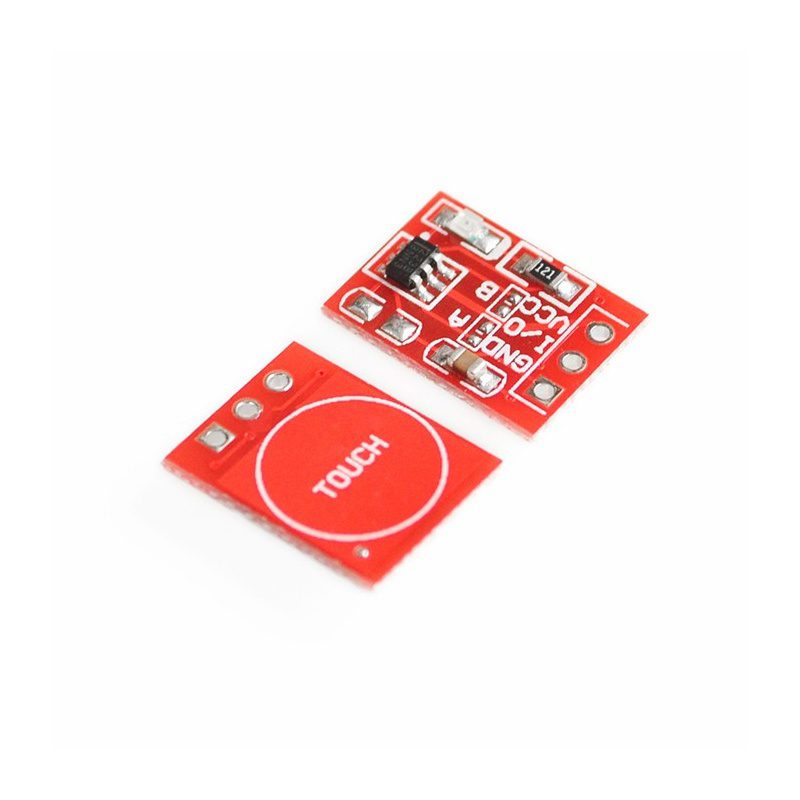
A TTP223 Arduino input should be handled differently depending on whether the module itself is in direct or toggle mode. This guide establishes the actual signal states before adding software actions. It is a low-voltage user-interface exercise, not a replacement for a safety-rated control.
Check the electrical interface first

Identify supply, ground and output from the actual board labels. Use a supported supply and ensure the output voltage is safe for the controller GPIO. A five-volt-powered module should not be assumed safe for ESP32 or another three-volt-only input. Connect power with the circuit inspected and do not attach the output directly to a load requiring power current.
Leave the pad untouched during startup
Follow the chip/module stabilization guidance and keep the touch pad clear after power is applied. A finger or conductive object present during initialization can change the baseline. Fit the intended overlay and mounting before the final test because electrode surroundings affect behavior. A working bare-board test is only an initial milestone.
Observe idle, touch and release states
Use a basic GPIO input test that prints the raw logic value at a modest interval. Record which value occurs idle, during touch and after release. Confirm direct versus toggle mode from actual behavior and documented option settings. Do not let an indicator LED substitute for checking the output pin seen by the controller.
Handle direct mode as a touch event
For a direct active-state signal, detect the transition from inactive to active when the application needs one action per touch. Repeatedly toggling an application variable every loop while the signal stays active creates multiple unwanted actions. Use a state machine and appropriate filtering or minimum event interval, keeping the interface responsive.
Do not double-toggle a hardware-toggle module
If the module itself latches its output on successive touches, the software may simply need to follow that state. Applying another toggle on every sampled high level gives confusing behavior. Decide whether the module or the application owns the retained state, and document what reset and power loss should do.
Investigate false activations by cause
Check supply stability, long output leads, electrode mounting, overlay, moisture and nearby interference before assuming a software delay fixes everything. Record the actual conditions that produce a false event. Do not modify sensitivity components or solder options without the correct board circuit and power removed.
Newest in the store


Test the complete interaction
Repeat short touches, long touches, releases, rapid touches and controller resets. Confirm that each intended action occurs once and that power-up does not enable an unwanted output. If an external load is later added, use a suitable driver and maintain safe defaults. A user-interface touch pad is not an appropriate sole interlock for hazardous equipment.
Relevant Epro listing
Product information and prices were checked on 19 October 2026. This is a current snapshot, not a historical price associated with the publication timestamp. Stock, accessories and checkout prices can change. Listing claims are not independent performance or authenticity certifications.
| Product | Checked price | Stock |
|---|---|---|
| TTP223 Capacitive Touch Sensor Switch Button Module | PKR 55 | In stock |
Frequently asked questions
Why does one touch toggle my output many times?
The program may be toggling on every loop while the touch signal is active. Detect the intended event or follow the hardware-latched state appropriately.
Why does behavior change after fitting the cover?
The electrode environment and overlay affect capacitive sensing. Test with the intended final mounting and material.
Related Epro reading
Review breadboard connections before assembling a prototype. For controller expansion, the Mega 2560 pin guide explains why pin names and electrical limits must be checked together.
Technical references and test limitations
This guide uses the documentation linked below. The procedures are for a controlled, low-voltage learning setup; no independent hands-on test of the particular seller board is claimed. Record the actual part markings, wiring and firmware version before drawing conclusions from a test.