


CH340 Driver Windows 10: 7 Safe Installation Checks

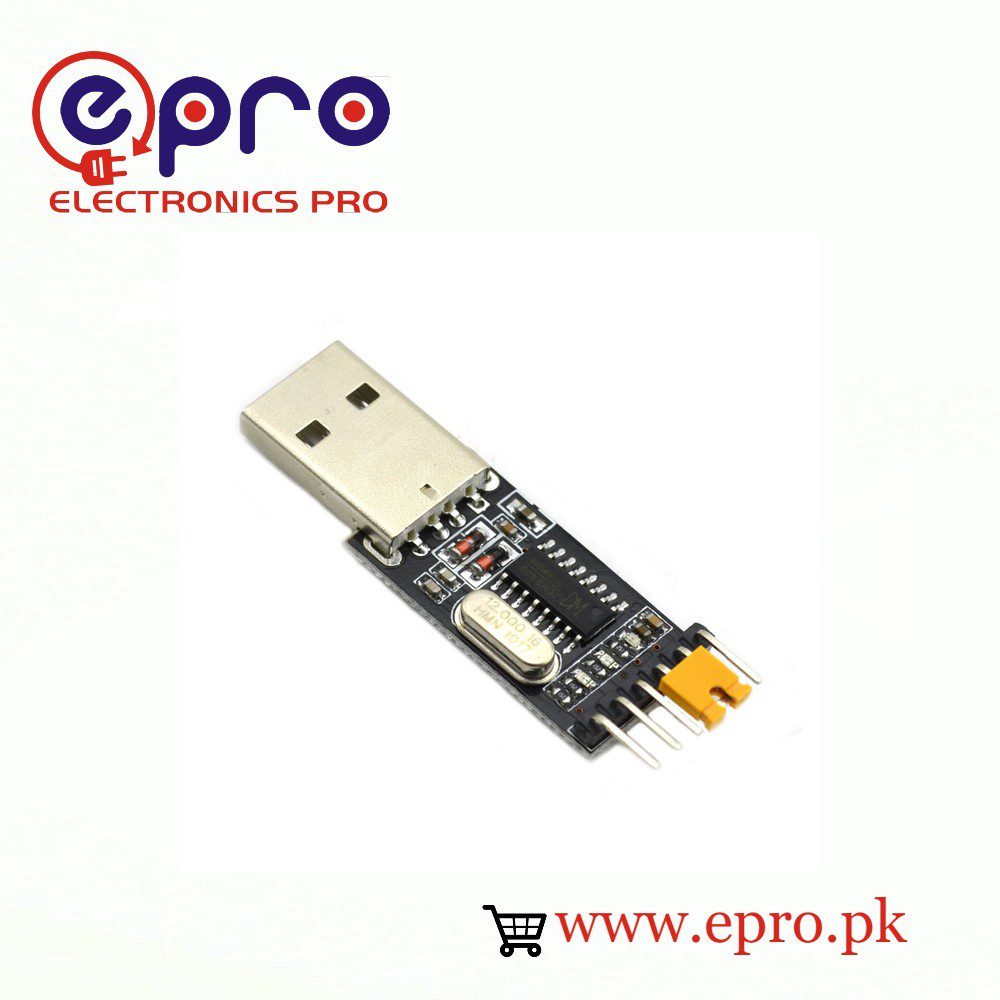
A CH340 driver Windows 10 installation should begin with identifying the USB bridge, not downloading the first driver archive in a search result. CH340-family chips appear on Arduino-compatible boards and separate USB-to-TTL adapters. This guide shows how to verify the device, use WCH’s official driver and distinguish a driver problem from a wiring or bootloader problem.
1. Confirm that the connected bridge is CH340-family

Look for the bridge chip marking and the product’s documentation. An Arduino-compatible board might use CH340, CP2102, ATmega16U2 or another USB interface. Device Manager can also show the connected device and its hardware identification. Do not install several unrelated driver packages just because the board is sold for Arduino use. A working power LED is not a bridge identification method.
2. Test USB detection before installing anything
Connect only the adapter or development board, with its target wiring removed. Open Device Manager and observe what appears and disappears when you reconnect it. If absolutely nothing changes, try a known data-capable cable and a direct USB port. A driver cannot repair a broken connector, missing data wires or an unpowered USB device.
3. Obtain the official WCH package
Use the WCH CH341SER download page linked in the references. WCH identifies this package for supported CH340/CH341 USB serial devices on Windows, including Windows 10. Read the current supported-device and operating-system information rather than relying on a filename alone. Avoid repackaged driver installers, download-manager tools and pages that require disabling antivirus or signature checks.
4. Install under the computer’s normal security policy
Close serial applications, follow the vendor package instructions and approve elevation only for the expected publisher and installer. On a managed school or office computer, ask the administrator to install the driver instead of bypassing its controls. Reconnect the device afterward and check Device Manager for the serial-port entry. Reboot only if the installer or operating system requires it.
5. Select the resulting COM port in your application
A COM port number can change when a device or USB port changes. Select the port that belongs to the connected CH340 device, then use the board definition and bootloader option appropriate to the target. A correctly installed USB bridge driver does not identify whether a connected processor is an Uno, Nano, Mega or ESP8266.
6. Troubleshoot by the observable symptom
| Observation | Useful next step |
|---|---|
| Device absent even as an unknown device | Check cable, USB port and hardware |
| Unknown USB or serial device | Confirm the chip and official driver support |
| COM port present but application cannot open it | Close other serial tools and check port selection |
| COM port opens but upload fails | Check target board, bootloader and reset requirements |
| Readable text at one baud but not another | Match the application’s baud rate |
| Intermittent disconnects | Check connectors and target power loading |
For an upload error on a classic Nano, use Arduino’s avrdude troubleshooting rather than repeatedly reinstalling a driver that already exposes a working port. Keep the exact error text and record one change at a time.Newest in the store


7. Keep USB driver success separate from electrical safety
Installing the driver does not make a TTL signal safe for any target. Confirm the adapter’s actual TX logic level before wiring a 3.3 V-only device. A voltage-selection jumper may control the power-output pin rather than every signal. Never connect a TTL adapter directly to an RS-232 port or to mains-powered circuitry. For an initial loopback test, leave the target disconnected and follow the adapter documentation.
Epro parts and availability
These are relevant Epro listings, not independent authenticity or performance certifications. Prices below were checked on 19 October 2026; they are a dated snapshot rather than a historical price implied by this article’s publication date. Confirm the exact variant, included accessories, stock and current checkout price before ordering.
| Listing | Checked price | Stock at check |
|---|---|---|
| USB to Serial TTL Converter CH340 in Pakistan | PKR 160 | In stock |
| Arduino Mega 2560 R3 CH340G With Cable in Pakistan | PKR 3,750 | In stock |
Frequently asked questions
Is CH340 the same as CP2102?
No. They are different USB bridge families with different vendor drivers. Identify the chip before choosing a package.
Does this driver install Arduino libraries?
No. A VCP driver creates the serial connection. Board definitions and project libraries are installed separately in the IDE.
Related Epro guides
Technical references and verification
The guidance above is based on the manufacturer documentation linked here and the listed product information. Example procedures and sketches are provided for a controlled low-voltage bench setup; no independent hands-on test of your particular board or adapter is claimed. Check the markings and documentation for your actual revision.