


DS18B20 Arduino: Wiring, Code and 7 Reading Checks

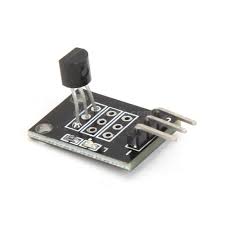
A DS18B20 Arduino test should first prove that the controller can discover the sensor and complete a temperature conversion. A small serial-monitor sketch is easier to diagnose than a combined display, relay and heater project.
This example uses one externally powered DS18B20 and a conventional 5 V Uno-compatible board. It is educational starter code, not a tested thermostat, food-safety instrument or independent overtemperature protection system.

1. Identify the actual sensor connections
Use the labels or documentation for the exact DS18B20 module or sealed probe. Cable colours are not universal, and a drawing for a bare three-lead package should not be applied blindly to an assembled module. Reverse polarity can damage the sensor.
The DS18B20 uses 1-Wire communication, not I2C. This guide uses a separate power connection rather than parasite power. That avoids introducing the additional strong-pull-up requirements associated with some parasite-powered arrangements.
2. Wire the DS18B20 Arduino circuit without power
| Connection | Uno destination |
|---|---|
| Sensor VDD | 5 V for an assembly rated for it |
| Sensor GND | GND |
| Sensor DQ / data | D2 |
| Data pull-up | 4.7 kΩ between DQ and the appropriate 5 V logic supply |
Confirm whether the module already carries a pull-up. This short-bus Uno example is not direct-wiring advice for a 3.3 V-only board with a 5 V data pull-up. Match the logic level to the controller before changing platforms.
3. Install the two required libraries
Install OneWire and DallasTemperature through Arduino Library Manager. The DallasTemperature project provides the sensor API used below. Select the correct controller board and serial port before uploading.
Library names matter: another temperature library may use different initialization or error values. Start with one connected sensor and short wiring so a configuration problem is not confused with a complicated bus layout.
4. Upload a conversion-first example
#include <OneWire.h>
#include <DallasTemperature.h>
OneWire bus(2);
DallasTemperature sensors(&bus);
void setup() {
  Serial.begin(9600);
  sensors.begin();
  sensors.setResolution(12);
  sensors.setWaitForConversion(true);
  Serial.print("Devices: ");
  Serial.println(sensors.getDeviceCount());
}
void loop() {
  sensors.requestTemperatures();
  float c = sensors.getTempCByIndex(0);
  if (c == DEVICE_DISCONNECTED_C) {
    Serial.println("No valid sensor reading");
  } else {
    Serial.print(c, 2);
    Serial.println(" C");
  }
  delay(1000);
}
Open Serial Monitor at 9600 baud. The example waits for conversion before reading. At 12-bit resolution the documented maximum conversion time is 750 ms, so this is not a one-reading-per-second real-time guarantee once the extra loop delay is included.Newest in the store


5. Treat error values as errors
The library’s disconnected value must not be interpreted as an actual extreme temperature or fed directly into an actuator decision. If device count is zero, check supply, ground, DQ wiring and pull-up before changing the conversion settings.
If readings fail only after extending the cable, return to the short known-working setup. Check connector integrity and the sensor supply under operation. Arbitrarily adding delays or changing resistors is not a substitute for reviewing bus topology, wiring capacitance and the exact controller interface.
The sensor’s power-on temperature-register value is 85°C. A repeated 85°C before valid conversions can indicate a conversion or power problem, although 85°C can also be a real temperature. Diagnose the sequence rather than universally rejecting that number as impossible.
6. Check the physical measurement
A sealed probe takes time to approach the temperature of its surroundings. Hold the setup in a stable, suitable environment and compare it with an appropriate reference. Do not equate two printed decimal places with two-decimal-place accuracy, and do not exceed the actual cable or assembly rating.
Keep joints and electronics dry unless explicitly designed for exposure. A waterproof sensing tip does not establish that every connector in the project is sealed.
7. Expand carefully
For multiple probes, record each sensor address and map it to the intended location instead of relying on discovery order. The DS18B20 buying guide covers package and installation limits. Consult the manufacturer datasheet for timing and electrical requirements before designing a longer bus or a consequential control system.