


WS2812B Arduino: Safe Wiring, Code and 7 Checks

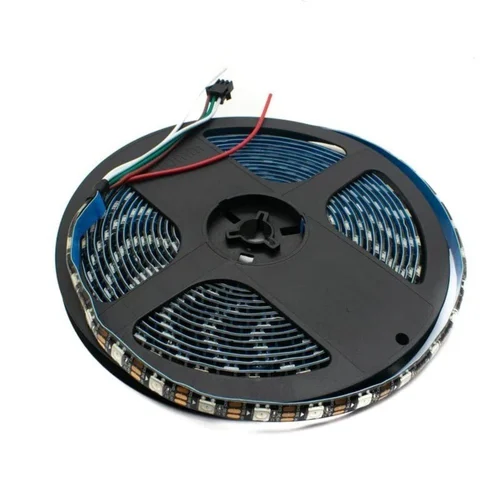
A WS2812B Arduino test should use a small, explicitly counted strip segment before a complete reel is connected. Eight pixels are enough to confirm data direction, colour order and basic library configuration without building a large lighting installation.
This tutorial uses a conventional 5 V Uno-compatible board and an appropriate eight-pixel 5 V RGB segment. The Epro strip listing is for 300 pixels; the code below is not permission to power that complete reel from a small test supply.

1. Prepare a separate eight-pixel segment
If making a segment from a strip, cut only at marked cut points with all power removed and protect the new connections. Confirm the segment’s actual pixel count and labels. Do not assume setting a count of eight in software physically disconnects the rest of a powered reel.
Use a suitable regulated 5 V supply, protected wiring and correctly rated connectors. Size them from the actual segment specification and expected pattern. Never feed strip power through a GPIO pin or rely on the Uno’s small regulator for a large LED load.
2. Wire the WS2812B Arduino test
| Connection | Test arrangement |
|---|---|
| Segment +5V | Suitable regulated external 5 V supply |
| Segment GND | Supply ground and Uno GND |
| Segment DIN | Uno D6 through a 330 Ω resistor near the first pixel |
| Supply capacitor | 500–1000 µF, at least 6.3 V, across segment power with correct polarity |
Power the Uno by USB for programming, but do not also join the external positive supply to its USB-powered 5 V rail. Share ground, make connections unpowered and avoid applying data to an unpowered strip. Follow the Adafruit connection precautions.
3. Install Adafruit NeoPixel
Install Adafruit NeoPixel through Arduino Library Manager. The example selects a common GRB, 800 kHz RGB pixel arrangement. Verify the supplied pixels before substituting an RGBW or differently timed device.
The constructor count must match the physical test segment. This example deliberately lights only one pixel at a time at modest brightness; that is a test pattern, not an independent current-limiting or fault-protection system.
Newest in the store


4. Upload a moving-pixel example
#include <Adafruit_NeoPixel.h>
const byte DATA_PIN = 6;
const uint16_t PIXELS = 8;
Adafruit_NeoPixel strip(PIXELS, DATA_PIN,
                       NEO_GRB + NEO_KHZ800);
void setup() {
  strip.begin();
  strip.setBrightness(32);
  strip.clear();
  strip.show();
}
void loop() {
  for (uint16_t i = 0; i < PIXELS; i++) {
    strip.clear();
    strip.setPixelColor(i, strip.Color(0, 80, 0));
    strip.show();
    delay(150);
  }
}
The show call sends the prepared pixel buffer to the strip. Changing a buffer value alone does not update the LEDs. Expect a low-brightness green point to move across the eight configured positions if the hardware and pixel format match.
5. Check direction and colour order
If nothing responds, confirm that the data wire reaches DIN rather than DOUT and that the grounds are shared. If the wrong colour appears, verify the pixel colour order before changing the power wiring. Software configuration cannot repair reversed supply polarity.
If only the first part behaves correctly, inspect connections and the actual segment count. Do not diagnose a long strip’s voltage drop using only the voltage measured at the supply terminals.
6. Keep power and signal faults separate
Flicker can result from unstable power, poor connections or data integrity. Lowering brightness may change the symptom without proving the power distribution is sound. Stop and inspect unexpected heat rather than continuing the test.
A 3.3 V controller needs a separate logic-level review and an appropriate fast translator where required. The generic I2C converter arrangement is not automatically suitable for this data signal.
7. Scale only after the small test works
A complete reel requires a new power budget, protection and distribution plan. The WS2812B strip buying guide explains why pixel count matters electrically. Do not extrapolate this eight-pixel wiring into an unprotected high-current installation.